
Airtable API Automation: We Built It, Then We Replaced It with an Agent
Kenji is the kind of developer who wants to build everything himself. When we needed to automate lead enrichment in our Airtable base, his first instinct was to write a script. "It's just a REST API," he said. "I'll have it done by Friday."
He did not have it done by Friday.
He had it done by the following Thursday, after spending roughly 30 hours wrestling with Airtable's API, building retry logic for rate limits, handling pagination for bases with more than 100 records, writing a field-mapping layer that could survive schema changes, and debugging an issue where linked records returned IDs instead of display values. The script worked. It was also 1,400 lines of TypeScript that only Kenji could maintain.
That was when I started questioning whether hand-rolling API integrations against Airtable was even the right move. The API itself is fine. Clean docs, logical endpoints. But the gap between "call the API" and "run this reliably in production" is enormous, and most teams don't need to cross it themselves.
What the Airtable API Gives You
The marketing page makes it sound straightforward. And in some ways, it is. REST endpoints for tables, records, fields, webhooks. CRUD operations. Formula-based filtering. A schema endpoint for field metadata. On paper: clean, well-documented, capable.
In practice, three constraints dominate everything you build on top of it.
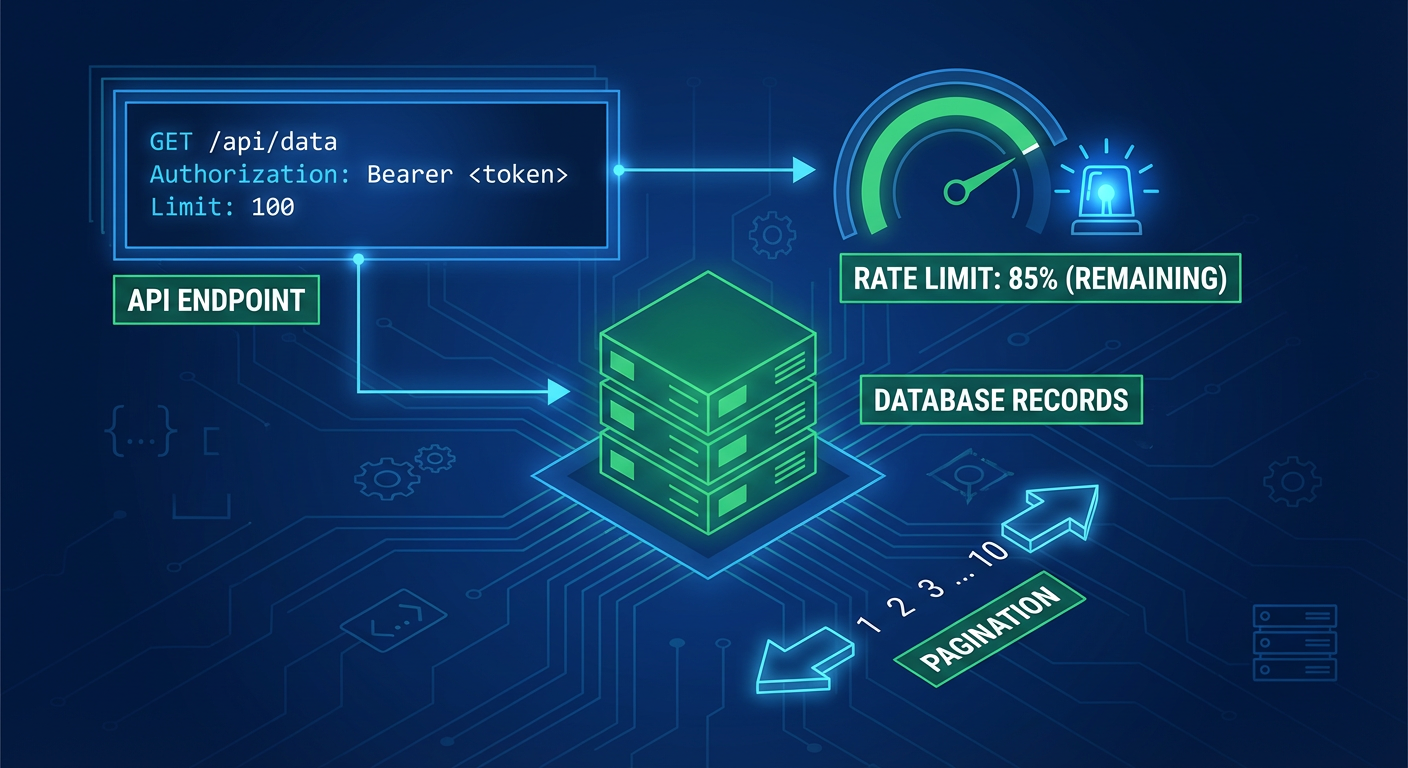
First: rate limits. Five requests per second per base. Sounds generous -- until you're working with 2,000 records. Each list request maxes out at 100 records, so just reading the full base takes 20 paginated calls. Need to update every record? That's 2,000 more requests. At five per second, you're looking at about seven minutes of pure API time with zero retries. Kenji's enrichment script had to read each record, hit an external API, then write back. For 500 leads, a full run clocked in at 25 minutes.
Second: pagination. Airtable hands you an opaque offset token in each response. Pass it back to get the next page. Lose it -- crash, timeout, restart -- and you start over from scratch. No paginating by record ID or creation date. Kenji built a checkpointing system that saved the offset to a file. Six lines of code. Two hours of debugging. Why? The offset tokens expire, and the expiration window isn't documented anywhere.
Third: linked records. The API returns record IDs, not values. A "Company" field that links to a Companies table comes back as ["recABC123"]. Want the company name? That's a second API call to the Companies table. Multiple linked fields mean multiple extra requests per record. Kenji started calling this "the join problem." It ate about 40% of his script's total API calls.
Webhooks exist but they're not what most developers expect. Airtable webhooks notify you that something changed, but the payload doesn't include the changed data. You get a notification and then need to query the API to find out what actually happened. Kenji's reaction when he discovered this was a word I can't print here.
What Kenji Actually Built
His enrichment pipeline looked like this: a cron job ran every hour, listed all records in the "Leads" table filtered to {Enriched} = FALSE(), paginated through the results, called an external API with the email domain, mapped the enrichment response to Airtable field names, batched the updates into groups of 10 (the maximum for a batch update endpoint), and wrote them back with exponential backoff for rate limit errors.
The code worked. It also had failure modes that took weeks to discover.
Someone on the team added a new field to the base. The script had no idea. It kept writing to the old field set while everyone assumed the new field was getting populated. Nobody noticed for a week. Kenji's fix: a schema-check step that ran before every enrichment cycle, compared current fields to expected fields, and logged a warning on divergence. Solid engineering. Also another 200 lines of code for a problem that shouldn't exist.
When the external enrichment API returned data in a different format than expected (they changed "employees" from a number to a string like "51-200"), the script wrote garbage into the Airtable field. It took Diana three days to notice that 80 records had employee counts of "NaN." Kenji added input validation. Another 150 lines.
When two people ran the script simultaneously during a debugging session, they hit the rate limit and both instances started backing off and retrying, creating a thundering herd of API calls that got temporarily blocked. Kenji added a lock file. He was not having fun anymore.
The total codebase grew to 1,400 lines with 23 error handling branches. It ran reliably after all the fixes. But the maintenance burden was real. Every time the enrichment API changed their response format, Kenji had to update the mapping. Every time someone restructured the Airtable base, the schema check needed updating. He estimated he spent about three hours a month on maintenance. That's 36 hours a year on a script that enriches leads.
When Building Makes Sense
I don't want to be unfair to the build-it-yourself crowd, because sometimes it genuinely is the right call.
When Airtable data is one input feeding a larger application -- maybe alongside Salesforce data and internal analytics -- custom code gives you total control over failure modes and edge cases specific to your domain.
And if you've got a developer who's going to stick around and maintain the integration, three hours a month is annoying but survivable. The risk is the bus factor. Kenji walks out the door, and nobody else can parse 1,400 lines of TypeScript with 23 error-handling branches.
Real-time requirements also favor custom code. If enrichment has to happen within 30 seconds of record creation, a webhook + script pipeline is still faster than anything else. Agents are quick, but sub-second event processing isn't their thing.
When an Agent Replaces the Script
For everything else, we've moved to agents. Here's why.
The lead enrichment agent replaced Kenji's entire script. Same workflow -- find unenriched records, look up company data, write it back -- but radically different under the hood. The agent reads the Airtable schema fresh before every run. No hard-coded field names. Someone renames "Company Domain" to "Website URL"? The agent notices and adjusts. No 1,400-line codebase. No breakage when the schema drifts.
The rate limit handling is built in. The agent knows about Airtable's 5-per-second limit and manages its own request cadence. No exponential backoff code. No lock files. No thundering herds.
The linked record resolution is automatic. The agent understands that a linked record field contains references to another table and resolves them. Kenji's "join problem" doesn't exist because the agent knows what linked records mean.
But the biggest gap is error recovery. Kenji's script had two modes when something went wrong: crash, or log a warning nobody would ever read. The agent takes a different approach entirely. Field type doesn't match expectations? It flags the record and moves on -- no garbage data written. Enrichment source returns a weird format? Instead of dying on a type mismatch, the agent reads the response and figures out what was meant.
The Honest Trade-offs
That said, an agent doesn't replace all custom API work. A few things Kenji's script did better:
Timing precision. His script ran every hour, on the hour, no drift. Agents run on schedules too, but the timing is looser. For workflows where enrichment must happen within seconds of record creation, a webhook-triggered script is still the fastest path.
Determinism. Same input, same output, every single time. Agents interpret schemas and data, which means their behavior can vary slightly between runs. Usually irrelevant. For compliance or audit workflows where exact reproducibility matters, that variation is a problem.
Cost at scale. After the initial development, Kenji's script cost almost nothing to run -- just compute for a cron job. Agents have per-run costs that scale with volume. A hundred new leads a week? Negligible. Ten thousand new records a day? Worth doing the math before committing.
Cost aside, the real question is developer time. Kenji spent 30 hours building and 36 hours per year maintaining. The agent took about 20 minutes to configure. If you value developer time at all, the break-even point is reached before the first month is over.
Where We Landed
Kenji still maintains one custom Airtable integration: a pipeline that feeds Airtable data into our internal analytics database with exact schema matching and deterministic transforms. It needs to be precise, it needs to be fast, and it runs at high volume. Custom code is the right tool for that job.
Everything else got handed off to agents. Lead enrichment, CRM syncing, project reporting, data cleanup -- workflows where schemas drift, data arrives messy, and "close enough" is perfectly fine. Not a single line of custom code needed.
Kenji told me he was relieved. "I like building things," he said. "I don't like maintaining things that should be someone else's problem." He redirected those 36 annual maintenance hours to actual product work. The leads still get enriched. The pipeline still syncs. And nobody has to debug a pagination offset at 11pm on a Tuesday.
Try These Agents
- Airtable Lead Enrichment -- Enrich new Airtable records with company and contact data without custom API code
- Airtable to CRM Sync -- Sync Airtable records to your CRM with automatic field mapping and conflict resolution
- Airtable Data Cleanup Agent -- Standardize, deduplicate, and fix data quality issues across your Airtable base