
We Built a CRM in Airtable. Then We Taught an Agent to Run It.
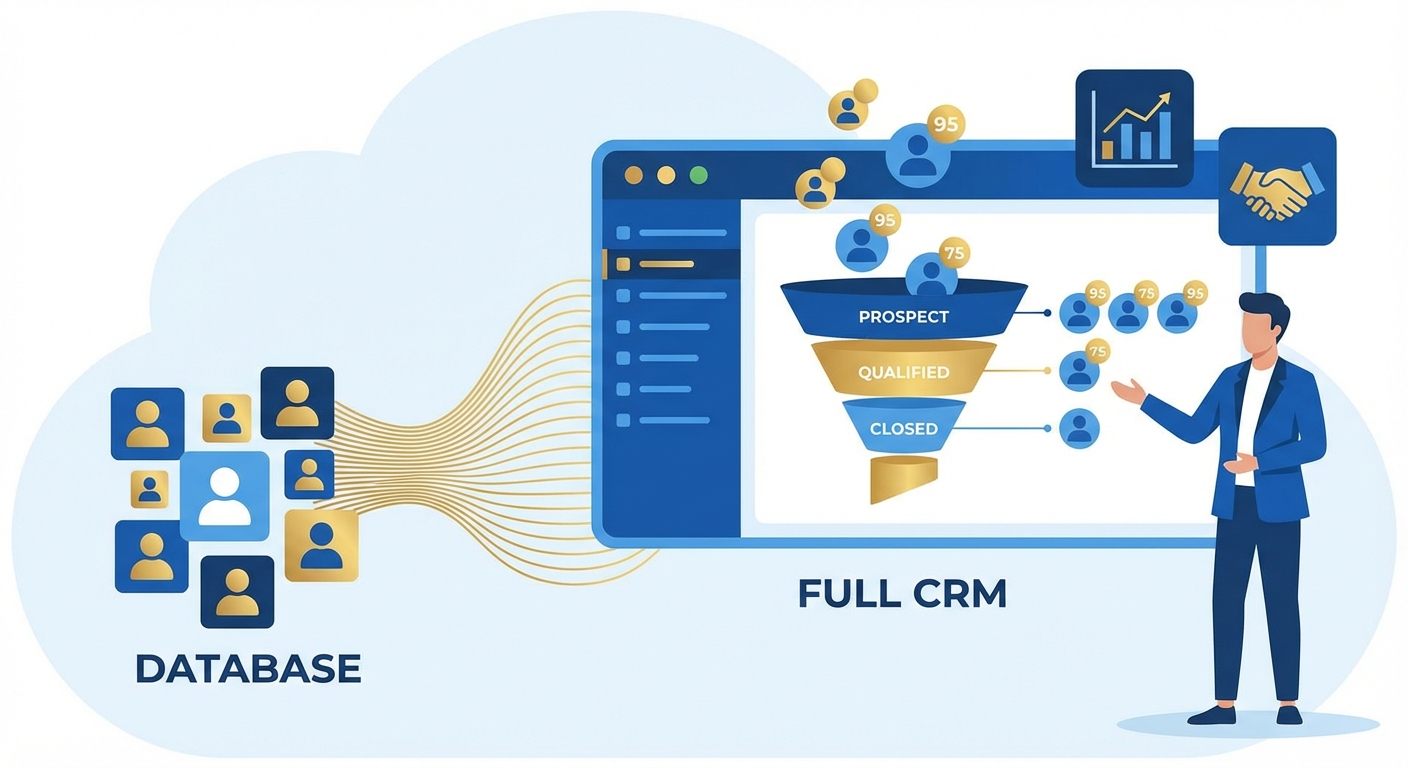
Tomás built our first CRM in Airtable on a Thursday afternoon. He had a grid view for contacts, a Kanban view for deals, and a linked table for companies. It took him about two hours. That was fourteen months ago, and we're still using it. Not because it's the best CRM in the world, but because nobody on the team wanted to learn Salesforce and HubSpot's free tier kept showing us upgrade banners every time we tried to create a report.
The Airtable CRM worked fine as a database. Contact names, emails, deal stages, last-contacted dates. What it didn't do was anything a real CRM does automatically. No lead scoring. No reminders when a deal went cold. No pipeline reports that updated themselves. No follow-up task creation. Tomás would open the base every morning, scroll through the deals, try to remember who he'd talked to recently, and flag anything that looked stale. His process was his memory, and his memory was unreliable.
By month three, we had 340 contacts and 47 open deals in the pipeline. Tomás missed a follow-up with a prospect who had verbally committed to a $28K annual contract. They went with a competitor. When I asked him what happened, he said, "I forgot. There's no system to remind me." He was right. There was no system. There was a spreadsheet with aspirations.
The Missing Layer
The gap between Airtable-as-database and Airtable-as-CRM is automation. A real CRM like Salesforce has decades of workflow logic baked in. When a deal sits in "Proposal Sent" for more than seven days, it creates a task. When a lead's company raises a funding round, the lead score goes up. When a rep hasn't logged activity on an account in two weeks, their manager gets a notification.
Airtable has none of this. You can build views and filters to surface information, but nothing acts on it. A filtered view that shows "deals with no activity in 14 days" is useful only if someone remembers to check it. Nobody remembers to check it.
We tried building automation with Airtable's native triggers. When a record enters a view, send a Slack notification. It worked for exactly one scenario and created so much noise that Kenji muted the channel within a week. The notifications had no context. "Record entered view: Stale Deals" tells you nothing about which deal, why it's stale, or what you should do about it.
We tried Zapier. We built a zap that checked deal stages and sent personalized follow-up reminders. It required eleven steps, broke twice in the first month when Tomás renamed a field, and couldn't handle the conditional logic we actually needed. If the deal is in "Discovery" and the last activity was a demo, suggest a proposal. If the deal is in "Negotiation" and the last note mentions pricing concerns, suggest a discount conversation. Zapier doesn't think. It routes.
What an Agent Actually Does
We pointed an Airtable CRM sync agent at the base and told it what we wanted: score every lead, create follow-up tasks, and generate a pipeline report every Monday.
The lead scoring was the first thing that changed how Tomás worked. The agent reads each contact record, looks at the company size, the deal value, the number of interactions, and the time since last contact. It writes a score between 1 and 100 into a "Lead Score" field. It's not a black box. Tomás can see why a lead scored 85 (large company, active engagement, recent demo) or 30 (small company, single email exchange two months ago, no response to follow-up).
Before this, Tomás prioritized by gut. He'd work whatever deal felt most urgent, which usually meant the deal with the loudest champion or the most recent email. Leads with genuine potential but quiet buyers got pushed to the bottom. After the agent started scoring, he told me he found four leads in the 70-90 range that he'd completely forgotten about. Two of them turned into closed deals within six weeks.
Follow-up task creation was the second shift. The agent scans the pipeline daily and creates tasks in a linked "Tasks" table based on deal state. A deal that's been in "Proposal Sent" for five days gets a "Check in on proposal" task assigned to the deal owner. A deal where the last note mentions a competitor gets a "Prepare competitive positioning" task. A contact who opened three emails but hasn't replied gets a "Try phone call" task.
Tomás went from checking his memory every morning to checking a task list. The task list was better than his memory.
Pipeline Reporting Without the Monday Morning Scramble
Before the agent, our pipeline report was a Google Slides deck that Tomás built every Monday morning. He'd pull numbers from Airtable, calculate win rates by hand, estimate the weighted pipeline value with a calculator, and paste everything into slides. It took about 90 minutes. The numbers were sometimes wrong because he'd fat-finger a deal value or forget to update a stage.
Now the agent generates the report directly from the base. Total pipeline value, weighted pipeline (based on historical stage-to-close rates), deals by stage, average deal cycle time, deals at risk (no activity in 10+ days), and top deals by value. It writes the report into a Notion page and posts a summary to Slack.
The report is more accurate than what Tomás built by hand because it doesn't round numbers or skip small deals. It caught something in week two that Tomás never would have surfaced: our average deal cycle was 34 days for deals under $10K but 67 days for deals over $25K. That wasn't obvious from looking at the Kanban board. It changed how we staffed larger deals.
Lead Enrichment Changes the Input
A CRM is only as good as the data in it. When Tomás entered contacts manually, about half the records were missing company size, industry, or LinkedIn URL. He'd enter the name, email, and deal value, and move on. The missing fields meant the lead scoring was working with incomplete information.
We added a lead enrichment agent that runs whenever a new contact is created. It takes the email domain, looks up the company, and fills in employee count, industry, location, funding status, and a LinkedIn profile link. A record that Tomás entered as "Sara Chen, sara@beacontech.io, $15K" becomes a full contact profile within minutes.
The enrichment also caught duplicates. Tomás had entered the same person twice under slightly different names ("Mike Johnson" and "Michael Johnson, Beacon"). The agent flagged both records because they shared an email domain and similar name patterns. We merged 23 duplicate records in the first week.
What Airtable-as-CRM Still Can't Do
I want to be honest about the limitations. An Airtable base with an AI agent on top is not Salesforce. It doesn't have territory management. It doesn't have approval workflows for discounts. It doesn't have forecasting models trained on years of historical data. If you have a 50-person sales team with complex quoting and multi-division reporting, you need a real CRM.
But if you're a team of two to ten people running a pipeline of fewer than 500 deals, the Airtable setup does 80% of what you'd get from HubSpot Sales Pro at roughly zero additional cost. The agent fills the automation gap that makes Airtable feel like a toy. Lead scoring, task creation, pipeline analytics, enrichment. Those are the things that turn a spreadsheet into a system.
Priya, who joined the sales team four months ago, had never used Salesforce or HubSpot. She learned the Airtable CRM in about twenty minutes. "It's just a table," she said. "I add people, I move deals across the board, and the agent tells me what to do next." That's a lower learning curve than any traditional CRM I've seen.
The Numbers After Six Months
Follow-up response time dropped from an average of 4.2 days to 1.1 days. Not because the team suddenly got more disciplined, but because the agent created tasks with deadlines and the tasks showed up in their morning workflow.
Deals that had been sitting in "Discovery" for more than three weeks dropped from 31% of the pipeline to 9%. The agent flagged them, created tasks, and those tasks got worked or the deals got marked as lost. Either outcome is better than a deal rotting in the pipeline and inflating the forecast.
Win rate went from 18% to 24%. Hard to attribute that entirely to the agent, but the enriched lead data and scoring meant the team was spending more time on higher-probability deals. Less time chasing leads that were never going to close.
Tomás told me last month that he couldn't go back to running the CRM manually. "It would be like going back to paper rolodexes," he said. That felt dramatic until I remembered what the base looked like before: a database with no brain attached to it.
Try These Agents
- Airtable to CRM Sync -- Score leads, create follow-up tasks, and generate pipeline reports from your Airtable CRM
- Airtable Lead Enrichment -- Automatically fill in missing company and contact data for new Airtable records
- Airtable Data Cleanup Agent -- Find and merge duplicates, fix formatting, and standardize messy Airtable data