
Airtable vs Google Sheets: We Used Both for a Year. One Automated Better.
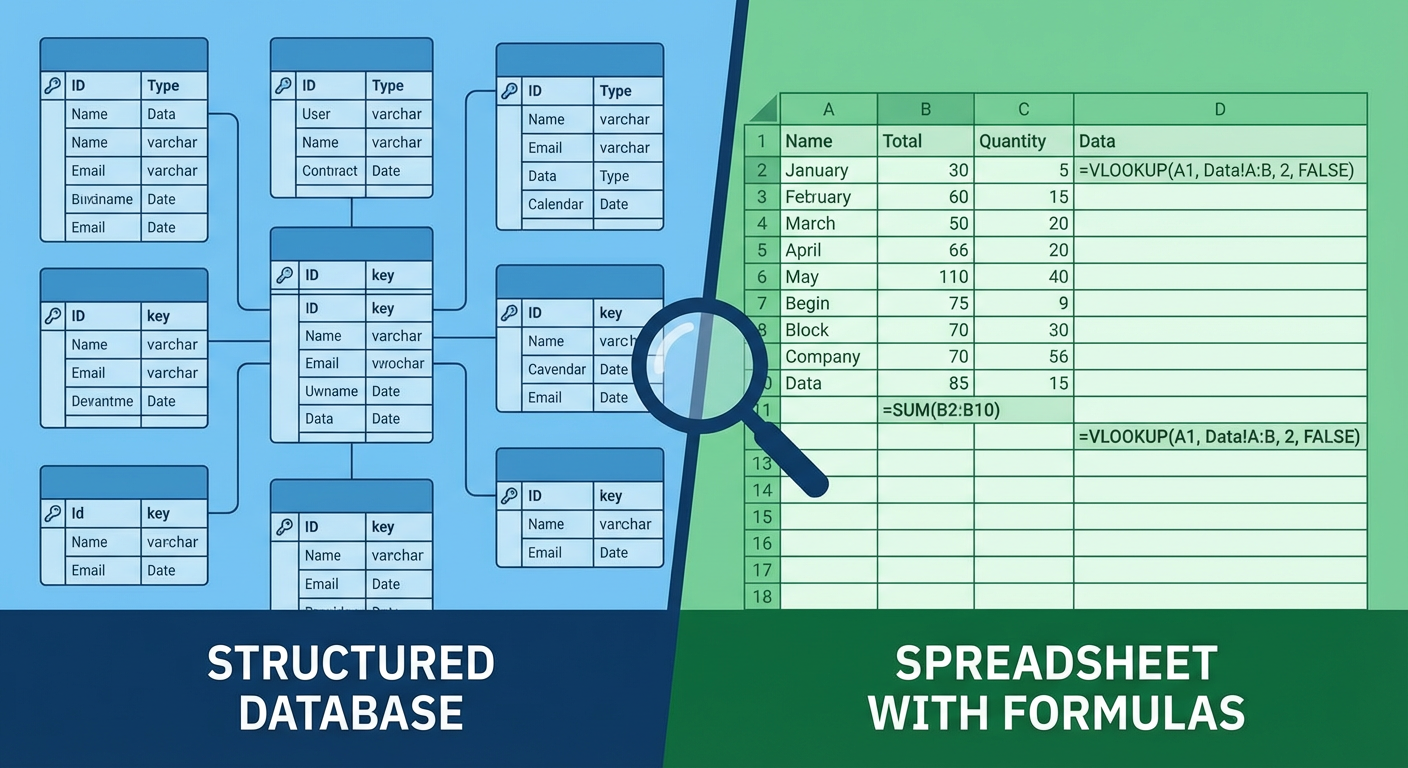
Rafael ran our sales pipeline in Google Sheets for fourteen months. He had a masterpiece of a spreadsheet. Color-coded rows by deal stage. VLOOKUP formulas pulling account details from a reference tab. Conditional formatting that turned cells red when a follow-up was overdue. He even had an Apps Script that sent him a daily email summary of deals that needed attention. It worked. The team used it. Deals got tracked.
Then we moved the pipeline to Airtable, and within a week the team refused to go back. Not because Sheets was bad. Because Airtable solved problems they didn't realize they were working around.
But the comparison isn't as clean as "Airtable is better." After a year of using both tools across different parts of the business, I've seen each one win in specific areas. The interesting comparison isn't features or pricing. It's what happens when you try to automate workflows on top of each one.
Where Google Sheets Wins
Sheets is a better calculator. That's not a small thing. Formulas in Sheets are more powerful, more flexible, and more widely understood than anything Airtable offers. Rafael's VLOOKUP-INDEX-MATCH chains did things that would require multiple linked tables in Airtable. Kenji, who handles financial modeling, has spreadsheets with custom formulas that would be impossible to replicate in Airtable's formula field.
Sheets is also free (effectively) and familiar. Everyone knows how to use a spreadsheet. The learning curve is zero. When Tomás needed to share a lead list with a partner company, he exported to Sheets because he knew they could open it, edit it, and send it back. Try sending someone an Airtable share link when they've never used Airtable. You'll spend 20 minutes on a video call explaining views.
Collaboration in Sheets is mature. Real-time editing, comments on cells, version history that goes back to the beginning. Airtable has collaboration features too, but Sheets has had fifteen years to refine theirs. When Diana and two freelance writers need to simultaneously edit a content tracker, Sheets handles it without anyone stepping on anyone else's changes.
And Apps Script is genuinely powerful. If you can write JavaScript, you can make Sheets do almost anything. Custom menus, API integrations, scheduled functions, email triggers. Rafael's daily pipeline summary script ran for fourteen months without breaking. Apps Script has its limitations (execution time limits, awkward debugging), but it gives Sheets a level of programmability that Airtable's automation builder can't match.
Where Airtable Wins
The first thing Rafael noticed after the migration: he stopped fixing broken formulas. In Sheets, every time someone inserted a row in the wrong place, filtered and deleted the wrong range, or accidentally edited a formula cell, something broke. Rafael estimated he spent two hours a week fixing spreadsheet errors caused by the team. In Airtable, the data structure prevents most of those errors. Fields have types. You can't accidentally put text in a number field. Records don't break when you reorder them.
Linked records are the feature that makes Airtable fundamentally different from a spreadsheet. In Sheets, Rafael's pipeline had a "Company" column where reps typed the company name. Sometimes they typed "Acme Corp." Sometimes "Acme." Sometimes "ACME Corporation." Three representations of the same company, and the only way to connect them was with Rafael's cleaning script that ran weekly.
In Airtable, Company is a linked record. You pick from the Companies table. One canonical entry. Every deal linked to Acme points to the same record. When someone updates the company's address, every linked deal sees the change. This alone eliminated about three hours of weekly data cleanup.
Views are another structural advantage. In Sheets, everyone sees the same sheet (unless you duplicate tabs, which creates sync problems). In Airtable, one table supports multiple views. Rafael has a pipeline view grouped by stage. Each rep has a personal view filtered to their deals. Management has a summary view with rollup fields. Same data, different presentations, no tab duplication.
The Automation Comparison
This is where the decision gets interesting, because both tools approach automation differently, and both have real limitations.
Airtable automations are built into the product. Trigger on a record change, send an email, update a field, post to Slack. No code required. Setup takes minutes. The limitation is flexibility. Complex logic, iteration over multiple records, and cross-table aggregation are difficult or impossible in the builder. And there's a cap of 50 automations per base.
Google Apps Script is code. You write JavaScript functions that run on triggers (form submission, time-based, edit events) or on demand. The limitation is accessibility. Not everyone on the team can write Apps Script. When Rafael left for vacation, nobody could modify his scripts. When one broke at 2 AM, it sat broken until he got back. Apps Script is powerful for developers but opaque for everyone else.
Priya, who runs operations, summarized the difference: "I can build an Airtable automation. I cannot write an Apps Script. But the Airtable automation can't do half of what Rafael's scripts did."
That gap is where both tools fall short. Airtable automations are accessible but limited. Apps Script is powerful but technical. Neither one handles the category of workflow that requires reading data across multiple tables, making context-dependent decisions, and taking actions across external systems.
What Made Us Stop Comparing
The Airtable vs Google Sheets debate consumed about a month of team discussion. Which tool should own the pipeline? Should we keep both? What about the content calendar that Diana had in Sheets but wanted in Airtable?
The conversation changed when we stopped thinking about the tools and started thinking about the workflows.
Our CRM sync workflow needed to pull deal data from wherever it lived, match it against contacts in Salesforce, and keep both systems aligned. It didn't care whether the data was in Airtable or Sheets. It needed to read the data, understand the schema, compare records, and push updates.
We set up an Airtable to CRM Sync agent that reads our Airtable pipeline base, matches records against Salesforce by email and company name, and handles bidirectional updates. The agent adapts when fields change in either system. If we'd stayed in Sheets, we could have pointed the same agent at the spreadsheet through the Sheets API. The workflow is the same. The data source is interchangeable.
That realization reframed the whole comparison. Airtable and Sheets are data containers. They each have strengths as containers. Airtable is a better structured database. Sheets is a better freeform calculator. But the workflows that run on top of the data don't have to be limited by either tool's built-in automation.
How We Split It
After a year of running both, here's where each tool lives in our stack.
Airtable owns structured operational data. Sales pipeline, project tracking, content calendar, customer database. Anything with defined record types, linked relationships, and multiple stakeholders who need different views of the same data. The built-in automations handle simple notifications and field updates.
Google Sheets owns analysis and ad hoc work. Financial models. One-off data comparisons. Templates that get shared externally. Anything where formulas are doing the heavy lifting or where the audience isn't going to create an Airtable account. Kenji's financial models will stay in Sheets forever, and that's fine.
Agents own the workflows that span both. The CRM sync agent reads Airtable and writes to Salesforce. A lead enrichment agent watches for new records in the pipeline and fills in missing company data. A reporting agent pulls from both Airtable and Sheets to generate weekly summaries that go to Slack.
Rafael, who built the original Sheets pipeline and lived through the migration, had the final word on it: "I spent a year making Sheets act like a database, and it was always fighting me. Airtable is just a database. But neither one could automate the workflows I actually cared about. The agents do that part."
Which One Should You Pick
If you're choosing between Airtable and Google Sheets right now, the honest answer depends on what your data looks like.
If your data is tabular, has relationships between records, and multiple people need different views, use Airtable. You'll save time on data integrity and team collaboration, and the built-in automations will cover most simple workflows.
If your data is analytical, formula-heavy, or needs to be shared with people outside your organization, use Sheets. The formulas are stronger, the sharing is simpler, and Apps Script gives you programmable automation if you have someone technical on the team.
If your workflows cross tools, involve conditional logic, or require keeping systems in sync, neither tool's built-in automation will carry you. That's true whether you pick Airtable, Sheets, or both. The automation layer that handles cross-system workflows should sit above the data container, not inside it.
We picked both, and the agents handle the hard parts that neither tool does well on its own.
Try These Agents
- Airtable to CRM Sync -- Keep your Airtable pipeline and CRM aligned with intelligent bidirectional sync
- Airtable Lead Enrichment -- Fill in missing company and contact data on new pipeline records automatically
- Airtable Project Status Reporter -- Generate project summaries from Airtable data combined with Sheets and Slack
- Airtable Data Cleanup Agent -- Catch duplicates, inconsistencies, and missing data across your base