
Airtable vs Notion: We Use Both. Here's What Each Does Better.
Every few months someone on the team asks, "Do we really need both Airtable and Notion?" It's a reasonable question. Both have databases. Both have views. Both have APIs. From a distance they look like they're competing for the same job.
We've been running both for about 18 months. Elena manages our content operations in Notion. Tomás runs sales pipeline data in Airtable. Anya uses Notion for project management and meeting notes. Kenji tracks engineering bugs in a Notion database and customer data quality issues in an Airtable base. The tools live side by side, and the team has developed strong opinions about which one to reach for depending on what they're doing.
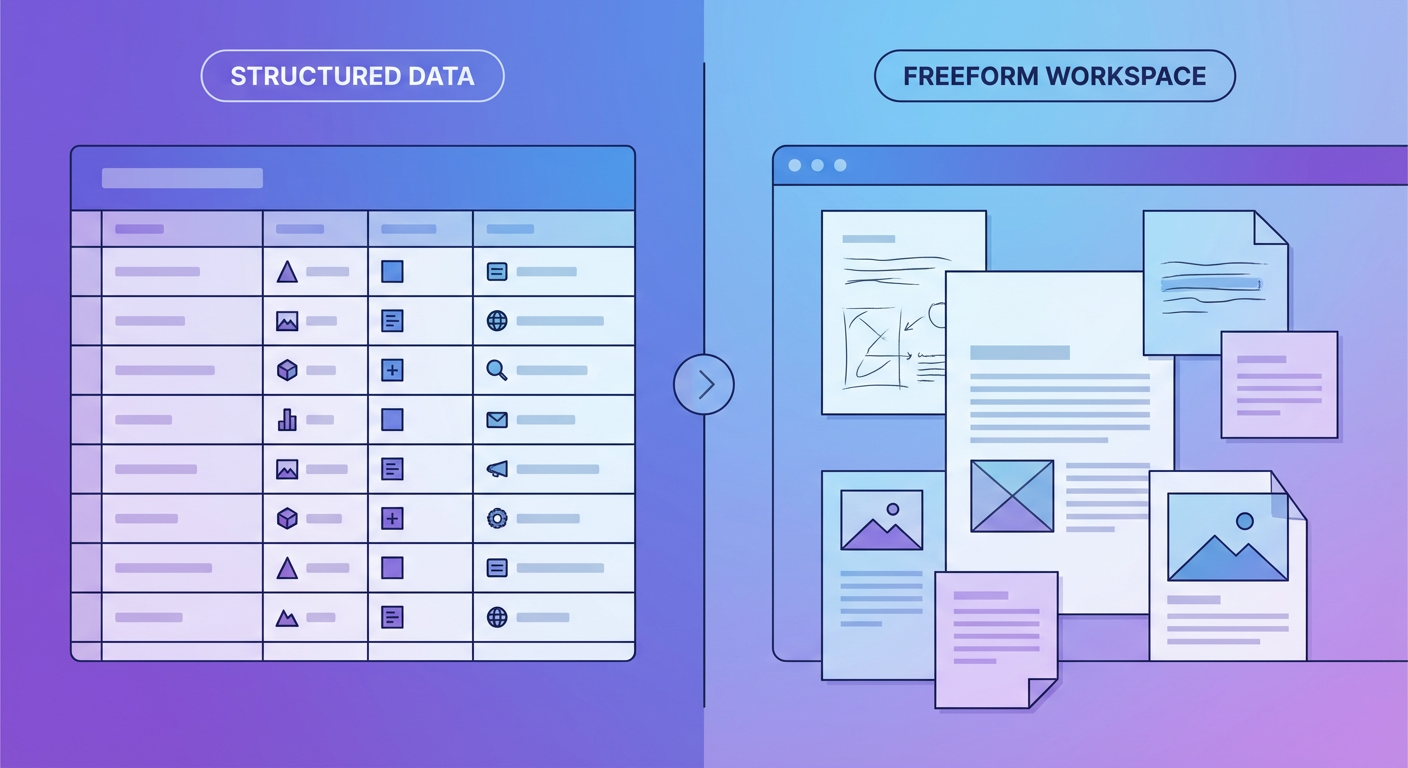
The short version: Notion is where we think. Airtable is where we compute. They look similar. They work differently.
Databases: Same Word, Different Thing
Both Notion and Airtable have "databases." That word is doing a lot of heavy lifting because the implementations are nothing alike.
Airtable databases are structured first. You define your fields with specific types (single line text, number, currency, single select, multi-select, linked record, formula), and those types are enforced. You can't put "maybe $15K" into a currency field. The data is clean because the schema forces it to be clean. Filtering, sorting, and grouping work reliably because the data types are consistent.
Notion databases are flexible first. Properties exist, and they have types, but the enforcement is softer. A Notion database is really a collection of pages that happen to share some structured properties. Each page can contain anything: text, images, embedded content, sub-pages, toggles, callouts. The database is the index. The pages are the content.
This distinction matters when you're deciding what to put where. Our content calendar lives in Notion because each entry is a page with a brief, draft sections, reference links, and comments. The structured properties (status, author, publish date, channel) are the metadata. The page content is where the work happens. Airtable would force us to cram all that context into text fields or linked attachments. It wouldn't feel right.
Our lead database lives in Airtable because every record is a row of data points: name, email, company, deal stage, lead score, last contacted date, enrichment status. There's no prose. There are no drafts. It's structured data that we filter, sort, group, and aggregate. Notion could hold this data, but the filtering would be slower, the formula support weaker, and the views less capable.
Where Notion Wins
Notion is better at everything that involves writing, context, and human-readable documentation.
Meeting notes. Project specs. Team wikis. Process documentation. Anything where the primary output is text with some structure around it. Anya's project management setup in Notion works because each project page contains the full context: goals, status updates, risk log, meeting notes, links to related projects. It's a living document. In Airtable, a project would be a row. The context would have to live somewhere else.
Notion's block-based editor is genuinely good. Headers, toggles, callouts, tables within pages, synced blocks across pages. The editing experience is closer to a document than a database. When Elena writes a content brief, she uses toggles for audience research, a callout for the primary CTA, and a table for keyword targets. All inside a single database entry. Airtable has a long text field with some formatting support, but it's not the same.
Collaboration is also stronger in Notion for document-heavy work. Comments on specific blocks, @-mentions that link to other pages, and a page history that shows who changed what. When our marketing team reviews a campaign brief, the conversation happens inside the page. In Airtable, collaboration is comment threads on records. It works, but it feels like annotating a spreadsheet, not editing a document together.
Where Airtable Wins
Airtable is better at everything that involves structured data, computation, and views.
Views are where Airtable pulls ahead most obviously. Grid, Kanban, calendar, gallery, Gantt, form. Each view is a lens on the same data, and they're all genuinely useful. Notion has table, board, calendar, gallery, timeline, and list views. On paper it's comparable. In practice, Airtable's views are faster, more configurable, and better at handling large datasets. Tomás has a sales base with 2,400 records and six views. Notion gets noticeably sluggish around 500 database entries.
Formulas in Airtable are far more capable. Rollup fields that aggregate data from linked records. Lookup fields that pull values across table relationships. Formula fields with a function library that rivals Excel. Kenji built a formula in our customer base that calculates churn risk based on last activity date, support ticket count, and NPS score. Notion's formula support has improved, but it's still limited to single-row calculations. You can't do cross-row aggregation without external tools.
Field types are more precise. Airtable has currency, percent, duration, rating, barcode, phone number, URL, and email as distinct types. Each type gets its own formatting, validation, and display logic. Notion has a smaller set of property types and relies more on text fields with conventions. When Diana enters pricing data, Airtable formats it as currency with two decimal places. In Notion, she'd type "$1,250.00" into a text field and hope nobody typos it.
Automation: Three Tiers
This is where the comparison gets interesting because both platforms have automation, and both have limitations that push you toward external tools.
Airtable's native automations are trigger-based. When a record matches a condition, run an action: send an email, create a record in another table, call a webhook, run a script. The triggers are flexible and the script action (which runs JavaScript) gives you real power. Tomás has an automation that sends a Slack message when a deal moves to "Closed Won," calculates the commission, and logs it in a separate table. It works well for single-trigger, single-action workflows.
Notion's automations are newer and simpler. You can set up automations that trigger when a property changes or a new page is added, and the actions include sending notifications, updating properties, or creating pages. The scope is narrower than Airtable's. You can't run scripts or make external API calls natively. For our content calendar, we set up a Notion automation that changes status from "Draft" to "In Review" when Elena adds a reviewer. That's about the ceiling for what Notion automations do without external help.
Then there are agents, which work on top of both platforms through their APIs. For our content operations, we use an agent as a content calendar manager that reads the editorial calendar, checks deadlines, identifies gaps in the content schedule, and creates draft entries with suggested topics based on performance data. It works across both Notion (where the briefs live) and Airtable (where the performance metrics are tracked).
The agent layer is where the distinction between the two platforms starts to collapse. An agent doesn't care whether the data lives in Notion or Airtable. It reads from whichever system has the information it needs. Our content agent pulls publication dates from the Notion calendar and traffic numbers from the Airtable analytics base. The fact that these are different tools with different APIs is the agent's problem, not ours.
The Overlap Zone
There's a genuine overlap between the two tools in one area: lightweight project tracking. If you're managing a simple project with tasks, statuses, owners, and due dates, either tool works. We've seen teams run identical workflows in both.
The deciding factor is usually what else the project needs. If the tasks need detailed specs and long-form context, Notion is better because each task is a full page. If the tasks are small and the project needs heavy filtering, grouping, and reporting, Airtable is better because the views and formulas are stronger.
Anya made the call for our team. "If I need to write a paragraph about a task, it goes in Notion. If I need to run a number on a task, it goes in Airtable." That heuristic has worked for 18 months without any arguments.
Pricing, Since You're Wondering
Airtable's free tier gives you 1,000 records per base. That runs out fast for any real dataset. The Team plan is $20 per user per month and bumps you to 50,000 records with more automation runs and sync capabilities. Notion's free tier is generous for individuals but the Team plan is $10 per user per month. For our team of 12, Airtable costs us $240/month and Notion costs us $120/month.
We've run the math on consolidating to one tool roughly four times. Every time we conclude that dropping Airtable would cripple our data workflows and dropping Notion would cripple our documentation. The $360/month total is less than one hour of the time we'd waste trying to force one tool to do both jobs.
How We Actually Split the Work
After 18 months of using both, the pattern is clear:
Notion holds everything that's primarily text with some structure: project pages, meeting notes, team wiki, content briefs, process docs, decision logs. The databases in Notion are organizational. They help us find and filter pages.
Airtable holds everything that's primarily data with some context: sales pipeline, customer records, marketing analytics, content performance metrics, support ticket tracking. The databases in Airtable are computational. They help us analyze and act on information.
The bridge between them is agents. When Elena needs to know which content topics are performing well (Airtable data) to plan next month's calendar (Notion pages), an agent reads from one and writes to the other. When Anya needs project status data (Airtable formulas calculating timeline health) reflected in her Notion project pages, an agent handles the sync.
Rafael asked me last week if he should learn Airtable or Notion first. I told him Notion, because he'd need it for meeting notes on day one. He picked up Airtable two weeks later when he needed to track partner referral data. Both tools took him about an hour to learn the basics. Neither replaced the other.
Try These Agents
- Airtable Content Calendar Manager -- Plan, schedule, and track content across your editorial calendar with automated gap analysis
- Airtable Project Status Reporter -- Generate project status reports from Airtable data automatically
- Airtable to CRM Sync -- Keep pipeline data in sync between Airtable and your CRM