
I Automated 90% of My Airtable Workflows. The Other 10% Needed an Agent.
I'm a fan of Airtable's automation builder. I'll say that up front so this doesn't read as a takedown. Over the past two years, I've wired up Slack alerts on record changes, auto-created linked records from form submissions, scheduled status field flips, and fired off emails when dates hit. All of that works. Reliably. And most people on the team can build simple automations without pinging me.
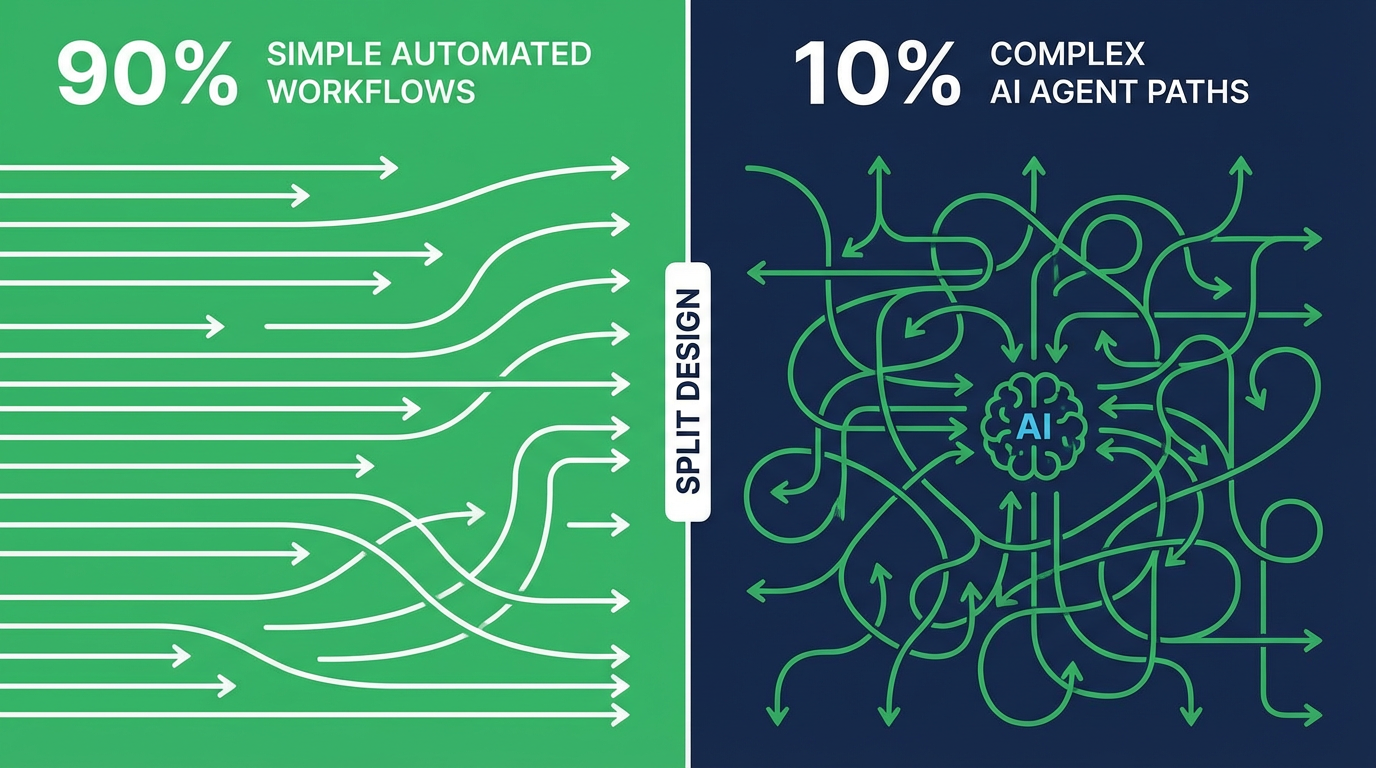
Here's what caught me off guard, though. There's a category of workflow where the builder just hits a wall. Not a bug -- an architecture ceiling. Forty automations in, I'd put it at roughly 90/10. Nine out of ten workflows fit the builder fine. The remaining ten percent? That's where all the real operational pain was hiding.
The 90% That Works
The builder is genuinely good at trigger-action workflows. Something happens, then something else happens. Record created? Send email. Field changed? Update another field. Date reached? Post to Slack. Bread and butter, and quick to wire up.
Tomás got a notification system running for the sales pipeline in about two hours. Deal moves to "Proposal Sent" and the account owner gets an email. Deal stuck in "Negotiation" past 14 days? Slack reminder. Deal closes? A record appears in the Wins table with the key metrics pulled over. Three automations. Single trigger each, one or two actions. Eight months running, zero issues.
Diana built a content intake workflow. When someone submits a content request through an Airtable form, the automation creates a record in the Content Pipeline table, assigns it to a writer based on a round-robin field, and sends the writer a Slack DM with the brief. Clean, simple, reliable. This is what automating Airtable looks like when the workflow fits the tool.
The common thread: one trigger, a straight path of actions, minimal branching, data from a single record. For this kind of work, the automation builder is the right answer and adding an external agent would be over-engineering.
The 10% That Doesn't
Every workflow that broke the builder had the same DNA: it needed to pull data from multiple places, reason about what it found, and then branch into different actions based on that reasoning.
The one that finally broke my faith in the builder? Our project tracking base. Three tables: Projects, Tasks, Team Members. Every Friday, someone -- usually me -- would check each active project, tally its tasks, estimate whether it was on track, and Slack the project owner with a summary. Ninety minutes of manual drudgery, every single week.
I tried to automate it. Step one: find all "Active" projects. Fine, easy trigger. Step two: for each project, look up all linked tasks. This is where the wheels come off. Count complete vs. total. Compare that ratio against the project timeline. Decide: ahead, on track, at risk, or behind. Send a different notification for each case.
The builder couldn't do it. Airtable automations can trigger on a single record and take actions on that record or create new records. But iterating over a set of linked records, performing calculations across them, and making conditional decisions based on the aggregate? That's not a trigger-action workflow. That's a program.
I tried splitting it into multiple automations. One to flag projects that needed review. Another to calculate task completion (except you can't loop over linked records in an automation). Another to send the notifications. The chain was fragile, the logic was scattered across three automations, and the Friday summary was still wrong half the time because the automations ran in unpredictable order.
We scrapped all of it and pointed an Airtable Project Status Reporter agent at the base instead. The agent pulls from the Projects table, walks through each project's linked Tasks, crunches the numbers, makes the call, and posts each owner a summary. Twenty minutes to set up. Four months of Friday 9 AM runs. The summaries have been right every time.
Other Workflows That Needed an Agent
Project reporting was the most obvious case, but the same ceiling showed up elsewhere.
Take contract renewals. When a client renews, we need to touch three tables: update the client record, extend timelines on every active project linked to that client, and adjust the billing schedule. An automation can fire on the renewal status change, sure. But cascading updates across linked records in other tables, checking conditions at each hop? The builder doesn't think in terms of chains like that.
Or contact deduplication. Contacts pour in from four different sources -- forms, CSV imports, manual entry, API integrations -- and duplicates are constant. Catching them means comparing each new record against the full table by email, phone, or company name. Exact-match lookups exist, but fuzzy matching? Recognizing that "Jon Smith" and "Jonathan Smith" are the same person, or connecting a personal email to a work email? Forget it.
Then there was Kenji's Monday morning digest idea. He wanted a single message summarizing the past week across the operations base: new records, status changes, overdue items, upcoming deadlines. The builder can trigger on a schedule, no problem. But querying multiple tables, aggregating results from the last seven days, and composing one coherent message from all of it? That's several capabilities it simply doesn't have in the same run.
The thread running through all of these: they need to look at a lot of data, think about what it means, and act on the conclusions. The builder reacts to individual events. It doesn't analyze.
The Line Between Automation and Agent
After going through all of this, here's the heuristic I actually use.
"When this record changes, do this thing." That's an automation. Single event in, direct action out, data from one record or one lookup. Covers the vast majority of what teams need.
"Look at a bunch of records and figure out what to do." That's an agent. Maybe it runs on a schedule, maybe on a condition. But the work involves reading across records, comparing, applying logic, potentially taking different actions on different records depending on what it finds.
It's not about how hard the workflow is. It's about how wide the lens needs to be. Automations see one record at a time. Agents see the whole base. The moment your workflow needs to understand the state of many records before deciding what to do, you've left automation territory.
What Running Both Looks Like
Our current setup has 22 Airtable automations handling the simple trigger-action workflows. Notifications, status-based field updates, form submission processing, scheduled reminders. These run inside Airtable and they're solid.
Alongside those, we run four agent workflows: the Friday project status report, cross-record deduplication on new contacts, the Monday operations digest, and a contract renewal cascade that updates linked records across three tables. The project tracker agent handles the hardest one, and it's also the one that saves the most time.
The team doesn't think about which system is handling what. Tomás doesn't care whether his deal notifications come from an Airtable automation or an agent. He cares that they show up. The distinction matters when you're building the workflows, not when you're using them.
Priya, who manages our operations base, put it well: "I used to spend Friday afternoons doing the project summary manually because I couldn't automate it. I tried three times. Now I spend Friday afternoons doing actual work because the agent does it at 9 AM." The 10% that couldn't be automated was the 10% that was taking the most human time.
If your Airtable automations cover everything you need, there's no reason to add agents to the mix. But if you've been manually handling workflows because the automation builder can't do what you need, you're paying an ongoing time cost for something an agent can handle. That was our 10%. It might be yours too.
Try These Agents
- Airtable Project Status Reporter -- Generate weekly project summaries by analyzing tasks, timelines, and completion rates across linked tables
- Airtable Data Cleanup Agent -- Detect and resolve duplicates, formatting inconsistencies, and missing data across your base
- Airtable Content Calendar Manager -- Manage cross-platform content schedules from your Airtable editorial calendar