
Automate Shopify Wholesale Orders: Stop the Manual Grind
A wholesale operations manager I talked to last month showed me her error log. In January alone, her team of two reps created 340 draft orders on Shopify. Twenty-three of them had errors. Seven had the wrong variant. A buyer ordered the 12oz bag and got invoiced for the 16oz. Five had incorrect pricing because the rep applied last quarter's price list instead of the current one. Four were missing the negotiated discount that was agreed to over email but never applied to the draft. Three had the wrong shipping address because the buyer had updated it in a follow-up email that the rep didn't see. And four invoices were never sent because the rep created the draft order, got pulled into something else, and forgot to click "send invoice."
Twenty-three errors out of 340 orders. That's a 6.7% error rate. Each error triggers a correction workflow: the buyer notices, emails back, the rep has to void the draft, recreate it, send a new invoice, and apologize. Average time to fix one error: 25 minutes. That's nearly 10 hours of rework in a single month, on top of the 90+ hours already spent creating the orders in the first place.
The errors aren't happening because the reps are bad at their jobs. They're happening because the job is repetitive data entry across multiple screens with no guardrails.
Where Wholesale Orders Go Wrong
The wholesale order workflow on Shopify has a specific set of failure points. I've seen enough of them to map them out.
Variant mismatches. A buyer emails "50 units of the dark roast." Your Shopify catalog has "Dark Roast - 12oz Bag," "Dark Roast - 16oz Bag," "Dark Roast - 5lb Bulk," and "Dark Roast - K-Cup 24 Pack." The buyer means the 12oz bag because that's what they always order. The rep might know that, might not, might be covering for a colleague who's on vacation and has no idea. Wrong variant goes on the draft order. Invoice goes out. Buyer catches it two days later.
Stale pricing. Wholesale pricing changes. Maybe you run a seasonal promotion. Maybe you renegotiated terms with a specific buyer. The current price lives in a spreadsheet, or a Shopify price list, or an email thread, or all three, and they don't always agree. The rep picks the wrong number. Even a $0.50 per-unit difference on a 200-unit order is a $100 mistake that erodes trust.
Missing discounts. The buyer negotiated a 10% volume discount for orders over 500 units. The rep creating the draft order wasn't part of that conversation. The discount isn't in Shopify because it was a custom deal. The invoice goes out at full wholesale price. The buyer is annoyed.
Forgotten invoices. Draft orders in Shopify just sit there until someone sends the invoice. If a rep creates the draft and gets distracted, the buyer never receives it. They follow up a week later asking where their invoice is. You look unprofessional and the buyer's reorder cycle gets pushed back.
Address errors. B2B buyers have multiple shipping locations. The buyer says "send it to the warehouse this time, not the store." The rep might update the address. The rep might forget. The shipment goes to the wrong location.
Every one of these errors is a data problem. The right information exists somewhere. It just didn't make it into the draft order correctly.
Manual vs. Automated: The Workflow Comparison
Here's the manual workflow. A buyer's email comes in. The rep reads it, interprets what they want, opens Shopify admin, searches for each product, finds the right variants, checks a spreadsheet or price list for the correct wholesale price, manually enters each line item into a new draft order, types in the shipping address, sets payment terms, reviews everything, creates the draft, and clicks send invoice. If the buyer has a custom discount, the rep has to remember it or go searching through email threads. Total time: 15-20 minutes per order.
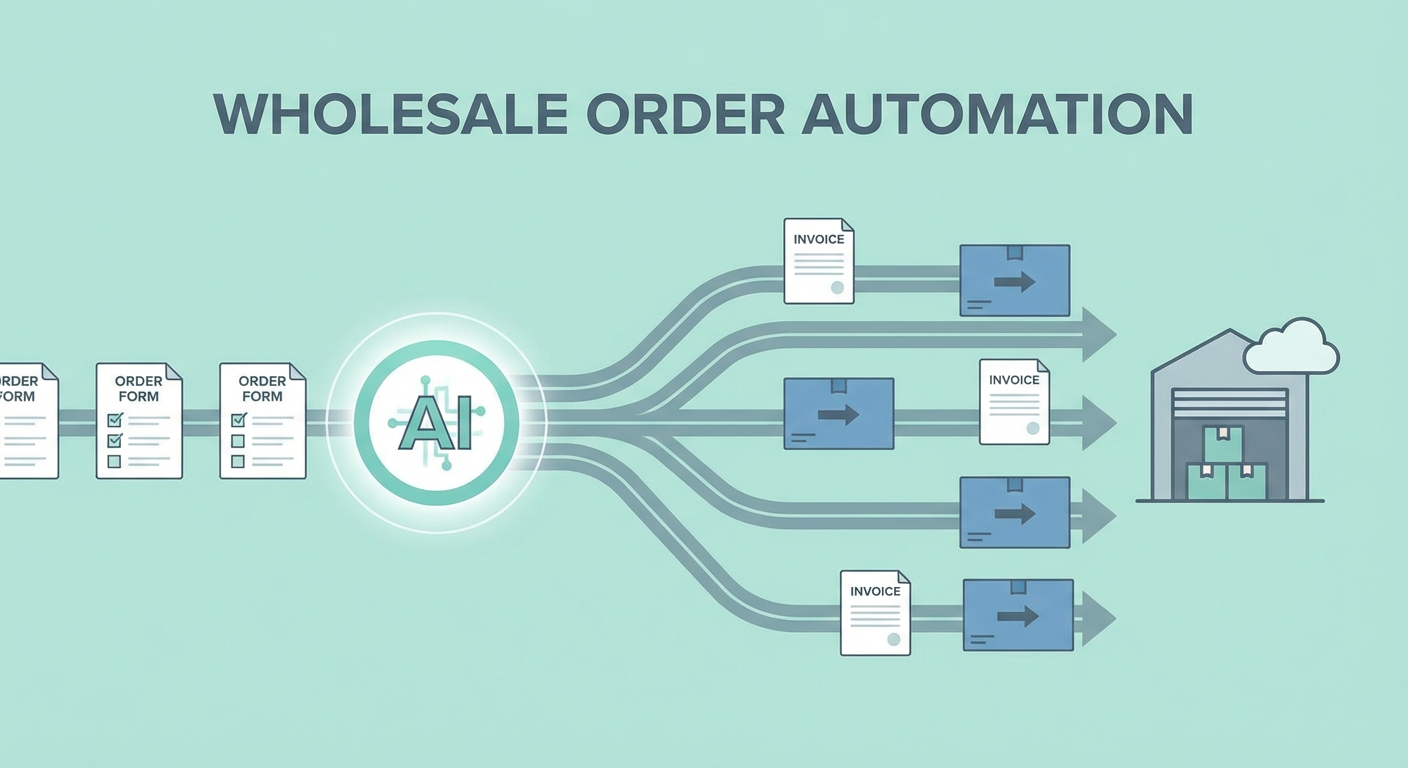
Here's the automated workflow with a draft order creator agent. The buyer's email comes in. The rep pastes it into the agent. The agent reads the email, identifies the products and quantities, searches the Shopify catalog for exact variant matches, pulls the correct pricing from the buyer's price list or most recent order, checks inventory to confirm availability, flags any issues (wrong variant name, out of stock, ambiguous request), and creates the draft order. The rep reviews a summary, approves it, and the invoice goes out. Total time: 2-3 minutes per order, and most of that is the rep reviewing.
The error rate drops because the agent is checking inventory in real time, pulling pricing from a single source of truth, and matching variants by searching the catalog rather than relying on memory. It doesn't get distracted. It doesn't forget to send the invoice. It doesn't apply last quarter's pricing because it always pulls the current data.
Monitoring What's in the Pipeline
Creating draft orders is half the wholesale workflow. The other half is tracking them. Which invoices have been sent? Which have been paid? Which orders are fulfilled? Which are stuck?
On Shopify, you can see this by clicking into each draft order individually. If you have 30 open draft orders across 15 accounts, that's 30 clicks and 30 pages of information to mentally compile into a picture of your pipeline. Most wholesale ops people end up maintaining a separate spreadsheet to track this, which means double entry and another source of stale data.
A product and order analyzer agent pulls all your open orders and draft orders, groups them by status, and gives you a summary. Which accounts have unpaid invoices. Which orders are ready to fulfill. Which orders have been sitting in draft status for more than three days with no invoice sent. You get the full picture without clicking into anything.
Pair that with an order monitoring agent that runs daily, and you have a system that catches stuck orders before they become problems. If a draft order sits unsent for 48 hours, you know about it. If an invoice is unpaid after 15 days on net-30 terms, you know about it. No one has to remember to check.
Why Use an Agent For This
Wholesale order processing is death by a thousand clicks. No single step is difficult. Search a product, enter a quantity, set a price, add an address. But the accumulation of those steps across dozens of orders per day, with different buyers, different pricing, different terms, and different product preferences, is where errors creep in and time disappears.
The traditional fix is better training and more careful processes. Checklists. Double-checking. Peer review before sending invoices. All of that helps, but it also adds time and still depends on humans being consistent under pressure. When it's Friday afternoon and you have eight draft orders to process before end of day, the checklist gets skimmed.
An agent doesn't skim. It runs the same checks every time. It searches the catalog the same way, pulls pricing the same way, verifies inventory the same way. The rep's job shifts from doing the work to verifying the work, which is a fundamentally different cognitive load. Reviewing a pre-built draft order for accuracy takes 30 seconds. Building one from scratch takes 15 minutes.
The error rate on that team I mentioned at the beginning dropped from 6.7% to under 1% after they automated draft order creation. That's 22 fewer correction workflows per month. That's 9 hours of rework that just stopped happening.
Try These Agents
- Shopify Draft Order Creator -- Convert buyer emails into complete Shopify draft orders with correct pricing and terms
- Shopify Product & Order Analyzer -- Get a full view of open orders, draft status, and account activity
- Shopify Order Monitoring -- Daily alerts for stuck orders, unsent invoices, and fulfillment delays