
We Tested Zapier, Make, and AI Agents for Notion Automation. Here's What Actually Worked
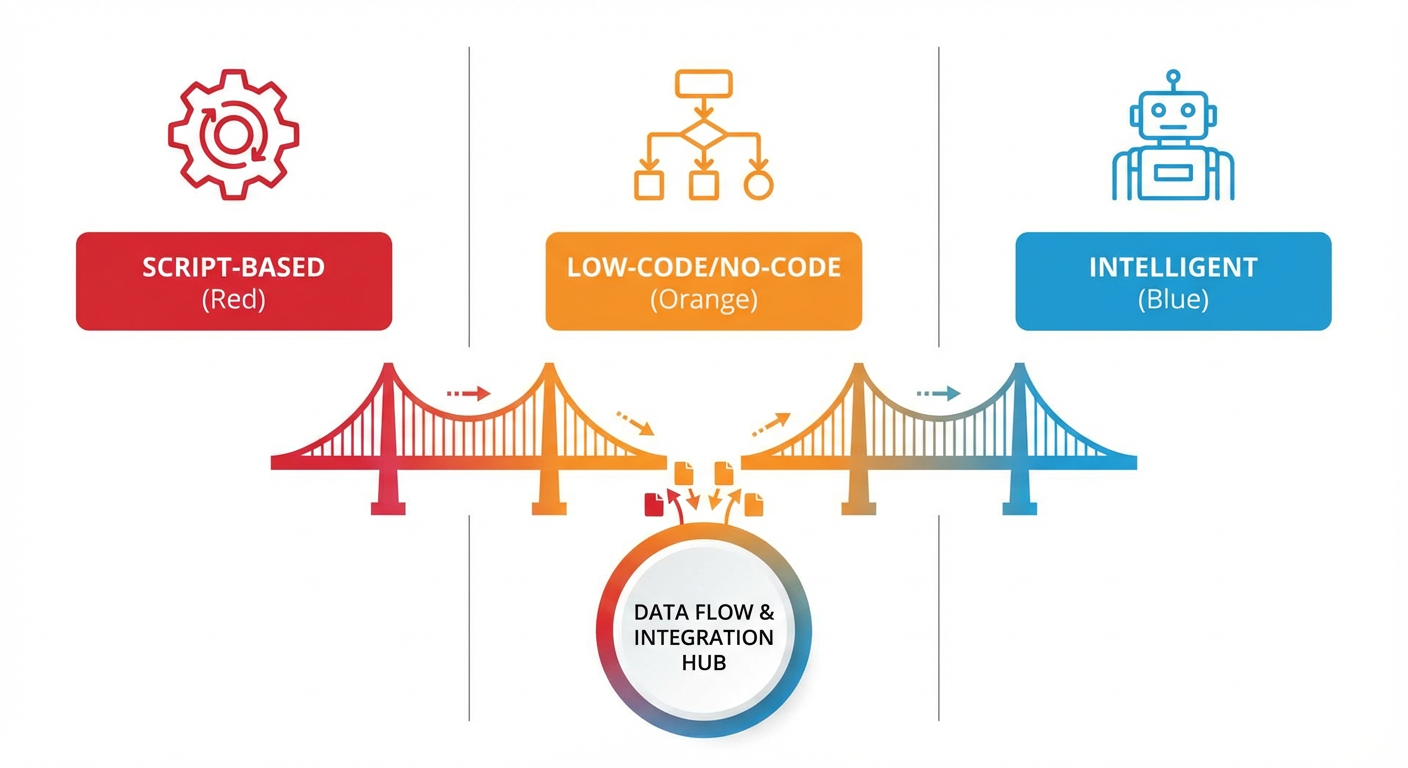
Elena manages our content calendar in Notion. Every month she creates 30 to 40 database entries for upcoming blog posts, social posts, and email campaigns. Each entry needs a title, target publish date, assigned author, channel, topic tags, SEO keywords, and a brief. She also monitors which pieces are behind schedule, reassigns overdue items, and generates a monthly performance summary.
She asked me a simple question last October: "What's the best way to automate this?"
I didn't have a good answer. So we tested four approaches on the same workflow and compared them honestly. We tried Notion's native automations, Zapier, Make (formerly Integromat), and AI agents. Each got the same job: automate as much of Elena's content calendar workflow as possible. We tracked setup time, ongoing maintenance, cost, what it could handle, and what it couldn't.
The Test Workflow
To make the comparison fair, we defined the workflow precisely.
- At the start of each month, create 30-40 database entries in the content calendar based on our content strategy doc
- Pre-fill each entry with the right properties: title, date, author, channel, topic
- Twice a week, check for overdue items (past target date, still in "Draft" status) and send a summary to the content lead
- Once a month, generate a performance report: how many pieces published on time, how many were late, which authors hit their targets
Steps 1 and 2 are creation tasks. Step 3 is monitoring. Step 4 is reporting. A complete automation tool should handle all four.
Notion Native Automations
Setup time: 20 minutes. Cost: included with Notion subscription.
Native automations handle step 3 partially. We set up a trigger: when a page's status property changes, if the new status is "Published," auto-fill the published date with today's date. We also created a view filter that shows pages past their target date with status not equal to "Published." That's a manual check, not an automation, but it's useful.
What native automations couldn't do: steps 1, 2, and 4. They can't create pages in bulk. They can't read a strategy document and generate entries from it. They can't produce a summary report. They react to property changes on existing pages. They don't create pages or synthesize information across pages.
Priya, who helped us evaluate, called it "a trigger engine, not an automation platform." Fair. Native automations are a feature, not a solution. Good at their narrow job but not designed for multi-step workflows.
Verdict: Useful as a supplement. Not a standalone automation tool.
Zapier
Setup time: about 3 hours. Cost: $49/month on the Professional plan (we needed multi-step zaps).
Zapier could handle step 3 reasonably well. We built a zap that runs daily, queries the Notion content calendar database for pages where the target date is before today and the status is "Draft," and sends a Slack message to Elena listing the overdue items. It worked. The Slack message was formatted decently, and it triggered reliably.
Step 1 was possible but ugly. We created a Google Sheet with the monthly content plan, and a zap that reads each row and creates a Notion database entry. It worked for simple entries. But Notion's API through Zapier doesn't support all property types well. Rich text fields got stripped to plain text. Multi-select tags had to match exactly or the zap would fail silently. Anya discovered that a typo in a tag name caused 12 entries to be created without their topic tags, and nobody noticed for a week.
Step 2 (pre-filling properties) was limited by what data Zapier could pass between steps. It could copy values from a spreadsheet row into Notion properties. It couldn't read a strategy document, interpret it, and decide what properties to set. That level of interpretation isn't what Zapier does.
Step 4 (monthly reporting) was the hardest. Zapier can query a database and count results, but building a formatted summary report with percentages, author breakdowns, and on-time rates required chaining together a Zapier table, a formatter step, a code step, and a Notion page creation step. Kenji spent two hours building this zap. It broke twice in the first month when the database schema changed slightly.
Verdict: Good for simple triggers and notifications. Gets brittle with multi-step logic. Property type handling between Zapier and Notion is finicky.
Make (Integromat)
Setup time: about 4 hours. Cost: $16/month on the Core plan (much cheaper than Zapier for the same task volume).
Make gave us more control than Zapier for roughly a third of the cost. The visual workflow builder let us handle conditional logic: if a page has no author assigned and it's due in less than a week, flag it differently than a page that's merely overdue. Zapier's conditional paths are possible but more limited.
Step 3 worked well. The Make scenario queried the database, filtered results, and sent a Slack notification with conditional formatting. Overdue by 1-3 days got a yellow flag. Overdue by more than 3 days got a red one. Elena liked the granularity.
Steps 1 and 2 had the same limitations as Zapier. Make can create pages from structured data (spreadsheet rows, form submissions), but it can't interpret a strategy document and generate entries with judgment about what properties to use. It's a data mover. It moves data from Point A to Point B. It doesn't create data from context.
Step 4 was where Make showed its strength and weakness simultaneously. The visual builder let us create a complex reporting scenario with aggregators, iterators, and math modules. The monthly report it generated was better formatted than Zapier's. But it took Rafael an entire afternoon to build, and the scenario had 23 nodes. When something broke (and it did, twice), debugging 23 nodes was miserable.
Verdict: More powerful and cheaper than Zapier. Better conditional logic. Same fundamental limitation: it moves structured data, it doesn't interpret unstructured information.
AI Agents
Setup time: about 2 hours. Cost: usage-based, averaging around $30/month for our volume.
This is where the test got interesting. We set up a content calendar automation agent and pointed it at Elena's workflow.
Step 1: At the start of each month, the agent reads our content strategy page in Notion (a regular page with bullet points, topic clusters, and cadence notes). It interprets the strategy, generates a list of content entries, and creates pages in the calendar database with properties pre-filled. It doesn't just copy data from a spreadsheet. It reads "publish 2 blog posts per week on topics from the Q1 priority list" and generates 8-9 blog entries with specific titles, dates spread across the month, and topic tags matched to the priority list.
The first time it ran, Elena reviewed the generated entries and said: "These are about 80% of what I would have created manually. Some titles need tweaking and two topics don't make sense. But I just saved an hour and a half."
Step 2 came for free with step 1. Properties were pre-filled because the agent understood what each field was for. It assigned authors based on a rotation schedule it read from another Notion page. It set target dates based on the cadence defined in the strategy doc. Make and Zapier couldn't do this because they need explicit field mappings. The agent figured out the mappings from context.
Step 3 worked similarly to Zapier and Make but with better reporting. The agent searches the database for overdue content, retrieves the page details, and sends Elena a Slack message. The difference: the agent also reads the page content (not just properties) and tells Elena whether the piece looks close to done or barely started. "Blog post on AI lead scoring: 1,200 words written, missing conclusion and CTA" is more useful than "Blog post on AI lead scoring: status is Draft, 4 days overdue."
Step 4 was where agents clearly separated from the other tools. The agent retrieves all published content from the past month, calculates on-time percentages, breaks down by author and channel, identifies which topics performed above or below plan, and creates a Notion page with the full report. No spreadsheet formulas. No 23-node workflow scenarios. The agent just reads the data and writes a report.
Verdict: Only option that handled all four steps. Required the least maintenance after setup. The interpretation capability was the differentiator. It reads unstructured information and makes reasonable decisions instead of requiring everything to be pre-structured.
The Honest Comparison
After running all four for two months, here's where we landed.
If you need simple database triggers (status changes, date-based notifications), Notion's native automations are fine. Free, fast to set up, no moving parts.
If you need to move structured data between tools (new Typeform submission creates a Notion page, new Notion page sends a Slack message), Zapier is the easiest option. The premium is worth it for people who don't want to learn a visual builder.
If you have complex multi-step workflows with conditional logic and you're comfortable building visual scenarios, Make gives you more power for less money than Zapier. The learning curve is steeper but the ceiling is higher.
If your workflow requires reading and interpreting unstructured information, generating content-aware pages, or making decisions that would normally require human judgment, AI agents handle things the other tools can't. They're not faster for simple triggers. They're not cheaper for basic data routing. But for the workflows that actually eat up your time, the kind where you're reading, thinking, and creating, they're the only option that worked end to end.
We use Make for three Notion automations, native triggers for two, and agents for everything that involves interpretation. Diana calls it "the right tool for the right job," which is boring advice but accurate.
Try These Agents
- Notion Content Calendar Automation -- Populate and monitor your Notion content calendar with AI-generated entries and overdue tracking
- Notion Project Tracker to Google Sheets -- Export Notion databases to Google Sheets when you need data outside Notion
- Pre-Meeting Research to Notion -- Create structured research docs in Notion from a single email address
- Competitive Intelligence Wiki Builder -- Build and maintain competitive research databases in Notion automatically