
We Used Notion as Our CRM for 6 Months. Here's the Honest Review
Tomás was the one who pitched it. "We're paying $1,400 a month for Salesforce and half the team logs in once a week. Notion is $96 a month for all of us. Let's just build the CRM in Notion."
He wasn't wrong about the usage numbers. Of our eight-person sales team, three reps used Salesforce daily. Two used it a few times a week. Three used it only when forced to during pipeline reviews. The most common complaint was that Salesforce was "another tab to keep open." Notion was already open all day for meeting notes, project tracking, and internal docs. The argument for consolidation made sense on paper.
So we did it. We built a full CRM in Notion and used it as our primary sales system for six months. I'm going to tell you exactly what happened.
The Setup
We created four connected databases in Notion.
Contacts: name, email, phone, company, title, last contacted date, source, notes. Each contact was a full Notion page where reps could write detailed notes with full formatting, something Salesforce's notes fields never handled well.
Companies: name, industry, size, website, annual revenue, main contacts (relation to Contacts database), deals (relation to Deals database). Company pages became mini-wikis with everything a rep knew about the account.
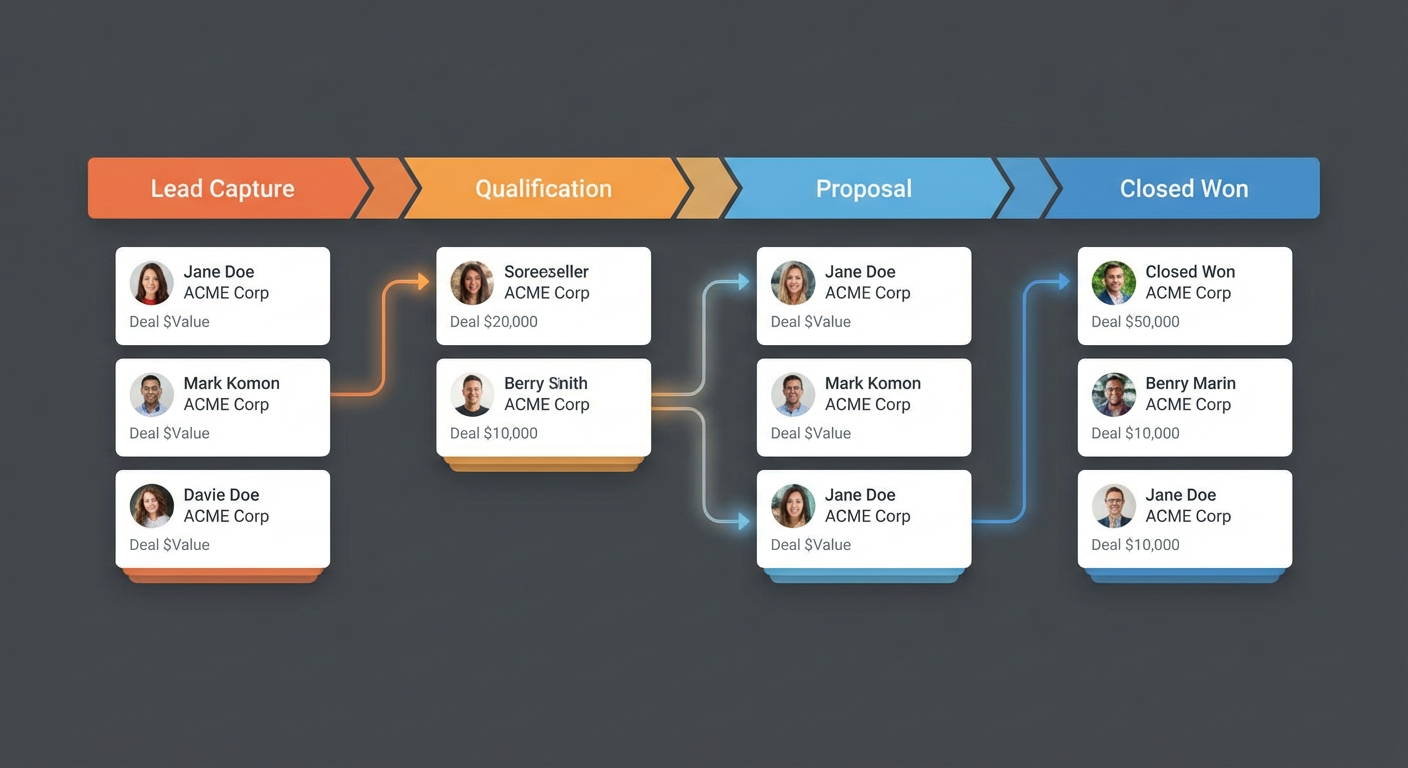
Deals: company, value, stage, close date, owner, probability, next step, related contacts. We set up a board view grouped by stage: Prospecting, Discovery, Proposal, Negotiation, Closed Won, Closed Lost.
Activities: type (call, email, meeting), date, contact, deal, notes. This was our activity log, basically a journal of every customer interaction.
The board view for deals looked good. Dragging deals between stages felt intuitive. The linked databases meant you could click from a deal to the company to the contacts and back. Notion's filtering and sorting let us build custom views for each rep. Anya had her view filtered to her deals. Rafael had his filtered to enterprise accounts above $50K. Marcus had a view sorted by close date for the next 30 days.
What Worked: Flexibility and Adoption
Adoption was immediate. CRM usage went from about 60% of the team logging in daily to 100%. Because it was in Notion, which everyone already used, there was no friction. Reps didn't have to "go to the CRM." The CRM was already in their workspace.
The flexibility was the biggest win. In Salesforce, adding a custom field requires admin access and sometimes a consultant. In Notion, anyone can add a property to a database in 10 seconds. When a rep wanted to track "competitive deal" as a boolean on our deals, she added it herself. When Rafael wanted a "decision-making process" text field on companies, he added it during a call. No tickets, no admins, no waiting.
Note-taking was dramatically better. Salesforce activity logging feels like filling out a form. Notion page writing feels like writing in a document. Reps wrote longer, more detailed notes because the interface didn't fight them. Tomás's call notes went from two-sentence summaries in Salesforce to full paragraphs with bullet points and embedded screenshots in Notion. The quality of information captured went up by a factor we hadn't anticipated.
Templates saved setup time. We created deal page templates that pre-populated with sections: Discovery Questions, Competitive Situation, Technical Requirements, Pricing Discussion, Next Steps. New deals started with structure instead of a blank page.
What Broke: Reporting, Speed, and Data Discipline
The problems started around month two and got worse from there.
Reporting was the first casualty. Salesforce's reporting engine can slice your pipeline by any combination of fields, apply date ranges, calculate weighted forecasts, and export to dashboards. Notion's database filtering is fine for simple views but breaks down for analysis.
When our VP asked "what's our win rate by deal source for Q3?" the answer in Salesforce was a 30-second report. In Notion, it was a manual exercise. Export the database to CSV, open it in Sheets, build a pivot table, calculate the percentages. Every reporting question that went beyond a simple filter required leaving Notion. By month three, Marcus was spending 2 hours per week building reports manually that Salesforce would have generated automatically.
Speed degraded as data grew. A Notion database with 50 deals loads fast. A database with 400 deals and 1,200 contacts loads noticeably slower. Filtering became sluggish. Sorting took a beat. Opening a deal page with 30 linked activities took 2-3 seconds. None of these were dealbreakers individually, but cumulatively they added friction.
Data discipline collapsed. This was the fatal problem. In Salesforce, you can make fields required. You can enforce picklist values. You can create validation rules. Notion has none of this. A rep can leave the deal value blank, type "big" in the stage field instead of selecting from the dropdown, or forget to link the company. By month four, our data quality was terrible. About 30% of deals had missing or inconsistent properties.
Pipeline reviews became arguments about data accuracy rather than deal strategy. Rafael would say "this deal is at $80K" and Anya would look at the database and see the value field was empty. "When did you update this?" "I updated it." "The field is blank." "I updated it in my notes." The notes had the information. The structured fields didn't. Notion made it easy to write notes and easy to skip the structured data.
How AI Agents Fixed the Worst Parts
We didn't want to go back to Salesforce entirely. The adoption and flexibility benefits were real. So we tried a middle path: keep Notion as the rep-facing interface but use AI agents to solve the data quality and reporting problems.
The first agent we set up was a Salesforce deal tracker that syncs into Notion. Instead of replacing Salesforce, we ran them in parallel. Salesforce remained the system of record for pipeline data, deal values, stages, and close dates. The agent synced that data into our Notion deals database automatically. Reps could see their pipeline in Notion without maintaining it there. The structured data came from Salesforce where validation rules enforced quality. The detailed notes and flexible properties stayed in Notion.
This two-system approach sounds like it would be more work. It was less. Because the agent handled the sync, reps didn't have to update both systems. They updated Salesforce (where fields are required and validated) and the agent kept Notion current. They wrote their detailed notes in Notion because the interface was better for it.
The second agent handled the reporting gap. We set up a workflow that reads the Notion deals database weekly, calculates pipeline metrics, and writes them to a Google Sheets dashboard. Win rates by source. Average deal size by segment. Stage conversion rates. The report builds itself every Monday morning. Marcus got his 2 hours per week back.
The third fix was data quality monitoring. An agent scans the Notion deals database daily and posts a summary to Slack: deals with missing values, deals where the close date is in the past but the stage isn't Closed, deals that haven't been updated in more than two weeks. It's a gentle, automated nudge. When a rep sees "3 of your deals have missing close dates" in #sales every morning, they fix them. The accountability didn't require a manager. The agent provided it.
The Verdict: Notion CRM With Training Wheels
After six months, here is where we landed. Notion is our sales workspace. Salesforce is our sales system of record. AI agents keep them connected.
Reps open Notion every day. They write call notes there. They read deal summaries there. They check their pipeline views there. The experience is better than Salesforce for day-to-day selling work.
Salesforce stores the validated, structured data that reporting and forecasting require. Deal values, stages, probabilities, close dates, all enforced by validation rules.
The agents move data between the two. Salesforce deals sync to Notion automatically. Notion note summaries get logged back to Salesforce activity records. Pipeline reports generate from the combined data.
Priya, who joined the team in month four, never knew we'd tried to use Notion as a standalone CRM. To her, Notion was just where you worked on deals and Salesforce was where the numbers lived. She said, "I don't know why anyone would use Salesforce for writing notes. And I don't know why anyone would use Notion for pipeline reporting." Both true.
Would I recommend Notion as a standalone CRM? For a team of 3-4 people with a simple sales process, yes. You'll get better adoption and flexibility than any traditional CRM, and the reporting limitations won't matter at that scale because you can eyeball a 30-deal pipeline.
For a team of 8 or more, or any team that needs real reporting, no. Use Notion as the front end and a real CRM as the back end. Let agents handle the sync. You get the best parts of both without the worst parts of either.
Try These Agents
- Notion Salesforce Deal Tracker -- Sync Salesforce deals into Notion with automated property updates
- Notion Project Tracker to Sheets -- Two-way sync between Notion databases and Google Sheets for reporting
- Notion Meeting Notes to Slack -- Distribute meeting summaries from Notion to Slack automatically
- Pre-Meeting Research to Notion -- Build pre-call research briefs in Notion from multiple data sources