
SmartLead API Integration: The Manual Way vs. the Agent Way
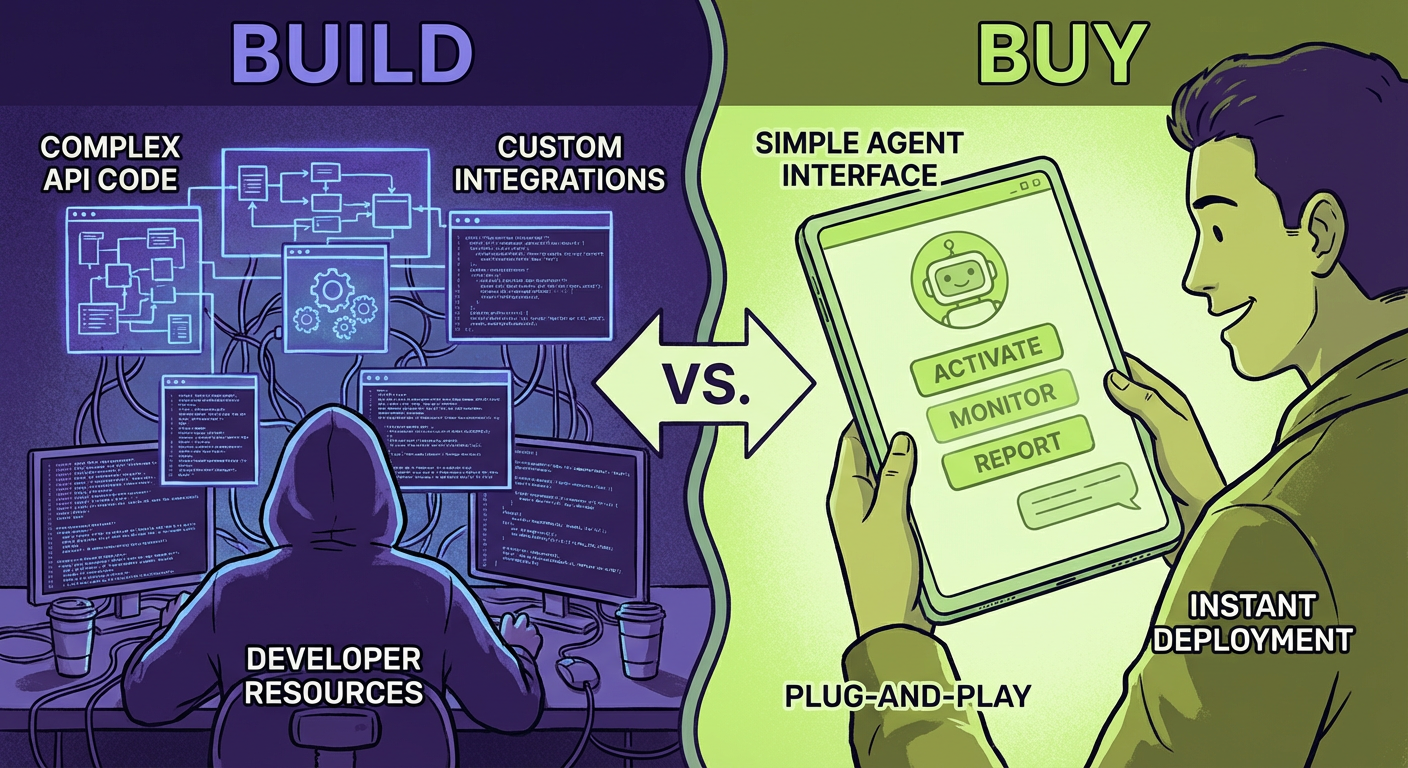
Marcus spent three weeks building a SmartLead-to-Salesforce sync. Three weeks. He's a senior engineer who bills at $180/hour, and he spent 120 hours connecting two systems that both have documented APIs. The sync worked, mostly. It broke on weekends when SmartLead's rate limits tightened. It missed leads that had special characters in email addresses. It silently dropped records when the Salesforce session token expired mid-batch.
I'm telling you this because Marcus is good at his job. The integration was well-architected. It had retry logic, exponential backoff, structured logging. He wrote tests. The problem isn't that Marcus did bad work. The problem is that "connect two APIs together" sounds like a two-day project and is actually a two-month project once you account for every edge case that production traffic will find.
We eventually replaced Marcus's integration with an AI agent that syncs SmartLead leads to Salesforce. It took an afternoon to configure. It's been running for four months without a single dropped record.
This article is for the technical folks evaluating whether to build or buy their SmartLead integrations. I'll walk through both approaches honestly.
What the SmartLead API Actually Gives You
SmartLead's API is REST-based. It covers campaigns, leads, email accounts, and analytics. You authenticate with an API key passed as a query parameter, which is simple but means you need to be careful about logging — your API key will show up in any URL you accidentally write to a log file. Marcus found that one out the hard way during a debugging session.
The campaign endpoints let you create campaigns, add leads, update sequences, and pull performance data. The lead endpoints give you status information — whether a lead has been contacted, opened, replied, bounced. You can filter by campaign and by status. The analytics endpoints return open rates, reply rates, bounce rates at the campaign level.
What the API doesn't give you is context. You can pull a bounce rate of 8.2% for Campaign #47. The API won't tell you that 8.2% is bad, that it was 3.1% last week, that the spike correlates with a new lead list you uploaded on Tuesday, or that three of the bounced domains are catch-all addresses that your email verification tool should have caught. That interpretation layer is where custom code gets complicated and where agents earn their keep.
The rate limits are standard but unforgiving. You get a certain number of requests per minute, and if you exceed them, you get 429 responses with a retry-after header. In practice, any integration that processes more than a few hundred leads needs to implement queuing and throttling. Marcus built a token bucket rate limiter. It was elegant. It also took him four days.
Building It Yourself: The Honest Assessment
Here's what a real SmartLead integration requires if you're building from scratch.
Authentication and connection management. Simple in concept. You store an API key, you attach it to requests. Then you need to handle key rotation, test vs. production keys, and the fact that some organizations have multiple SmartLead accounts. Priya on our team has three — one for her own outreach, one for a client, one for testing.
Data mapping. SmartLead's lead schema doesn't match your CRM's contact schema. Fields have different names, different types, different validation rules. SmartLead stores "company" as a flat string. Salesforce has a separate Account object with a lookup relationship. You need a mapping layer, and that mapping layer needs to handle nulls, empty strings, strings that look like numbers, and whatever else shows up in real lead data.
Error handling. API calls fail. Networks time out. SmartLead returns 500 errors during maintenance windows. Your code needs to distinguish between transient failures (retry) and permanent failures (log and alert). It needs to handle partial failures — you uploaded 500 leads and 3 failed validation. Do you retry just the 3? Do you roll back the whole batch? What if the retry succeeds but creates duplicates?
Pagination. SmartLead paginates results. If you want all leads from a campaign, you might need to make dozens of API calls, handling cursor-based pagination and the possibility that new leads are added mid-pagination, which can cause duplicates or missed records depending on sort order.
State management. You need to track what's been synced and what hasn't. This means maintaining a database of sync state — last sync timestamp, records processed, records failed, cursor positions for incremental syncs. When something fails halfway through, you need to resume from where you left off, not restart from the beginning.
Monitoring. Your integration needs health checks. Is it running? Is it current? When was the last successful sync? Are error rates increasing? Without monitoring, you'll discover that your integration broke three days ago when someone asks why the CRM data is stale.
Marcus estimated 40 hours for the initial build. The actual number was 120, and that doesn't count the ongoing maintenance. Every SmartLead API update requires checking whether your integration still works. Every schema change in your CRM requires updating the mapping layer. Every new edge case in production data requires a fix.
The Agent Approach
An AI agent that integrates SmartLead with your CRM doesn't write code against the API. It understands the API. The distinction matters.
When we configured the Salesforce sync agent, we told it: sync new SmartLead leads to Salesforce contacts, match on email address, create new contacts for leads that don't exist, update existing contacts with the latest campaign interaction data. The agent handles the API calls, the data mapping, the error handling, and the pagination without us writing any of that infrastructure.
Here's what surprised me. When a lead came through with a malformed email address — someone had typed "elena@companycom" without the dot — Marcus's custom integration threw a validation error and stopped the batch. The agent flagged it as a probable typo, logged it to a review queue, and continued processing the rest of the batch. No code change required. The agent understood that one bad record shouldn't block 499 good ones.
The rate limiting is handled automatically. The agent knows SmartLead's limits and paces its requests accordingly. When limits tighten during peak hours, it backs off without throwing errors. Marcus's rate limiter did the same thing, but his took four days to build and debug. The agent's was just there.
Where DIY Still Wins
I want to be honest about trade-offs because "AI agents replace everything" is not accurate.
If you need extremely custom transformation logic — say you're enriching SmartLead data with a proprietary scoring model before it hits your CRM — a custom integration gives you full control. Agents work well when the transformation is standard (field mapping, deduplication, format conversion). They're less suited for transformations that require domain-specific business logic that hasn't been seen before.
If you're operating at very high volume — millions of leads per day — custom infrastructure with dedicated queues and workers might outperform an agent-based approach on throughput. Most SmartLead users aren't at that scale, but it's a real consideration.
If your compliance requirements mandate that data never leaves your infrastructure, you'll need to evaluate whether the agent's processing model meets those requirements. Custom code running on your own servers gives you complete control over data residency.
The Real Comparison
Rafael ran our SmartLead integration for both approaches simultaneously for two weeks. Same campaigns, same lead data, same CRM.
Marcus's custom integration synced 94.7% of leads correctly. The missing 5.3% were edge cases: special characters, duplicate emails with different capitalization, leads that arrived during the maintenance window on a Tuesday night.
The agent synced 99.2% correctly. The 0.8% it missed were leads with email addresses that didn't resolve to real domains — the agent flagged them as potentially invalid rather than syncing bad data to the CRM. That's not a miss. That's a feature.
Maintenance time: Marcus spent about 6 hours per month patching his integration. The agent required zero maintenance hours over the same period.
Cost: Marcus's build cost roughly $21,600 in engineering time (120 hours at $180/hour), plus ongoing maintenance of about $1,080/month. The agent costs a fraction of that, and the engineering time to set it up was about 3 hours.
Diana asked Marcus if he felt bad about being replaced by an agent. He said no. "I spent three weeks writing glue code. I'm an engineer. I should be building product, not maintaining a sync script."
What This Means for Your Stack
If you're evaluating SmartLead integrations today, here's my honest recommendation.
Build custom if: you have unique transformation requirements that no off-the-shelf solution handles, you operate at extreme scale, or your compliance posture requires on-premise processing.
Use an agent if: you want standard integrations (CRM sync, campaign management, lead cleanup, performance monitoring) without the engineering overhead. Which, for most teams, is the right answer.
The SmartLead API is well-documented and capable. But "capable" and "easy to integrate" are different things. The API gives you building blocks. An agent gives you a finished building.
Marcus is now working on actual product features. He told me last week that he hasn't thought about API rate limits in months. He sounded relieved.
Try These Agents
- SmartLead Salesforce Lead Sync -- Sync SmartLead leads to Salesforce contacts with automatic deduplication and field mapping
- SmartLead Apollo Campaign Builder -- Build SmartLead campaigns from Apollo prospect lists with automated sequence generation
- SmartLead Lead Cleanup Manager -- Clean bad emails, duplicates, and stale leads from SmartLead campaigns automatically
- SmartLead Campaign Performance Tracker -- Monitor open rates, reply rates, and bounce rates across all SmartLead campaigns