
Supabase vs Firebase: We Migrated 14 Projects. Here Is What Broke.
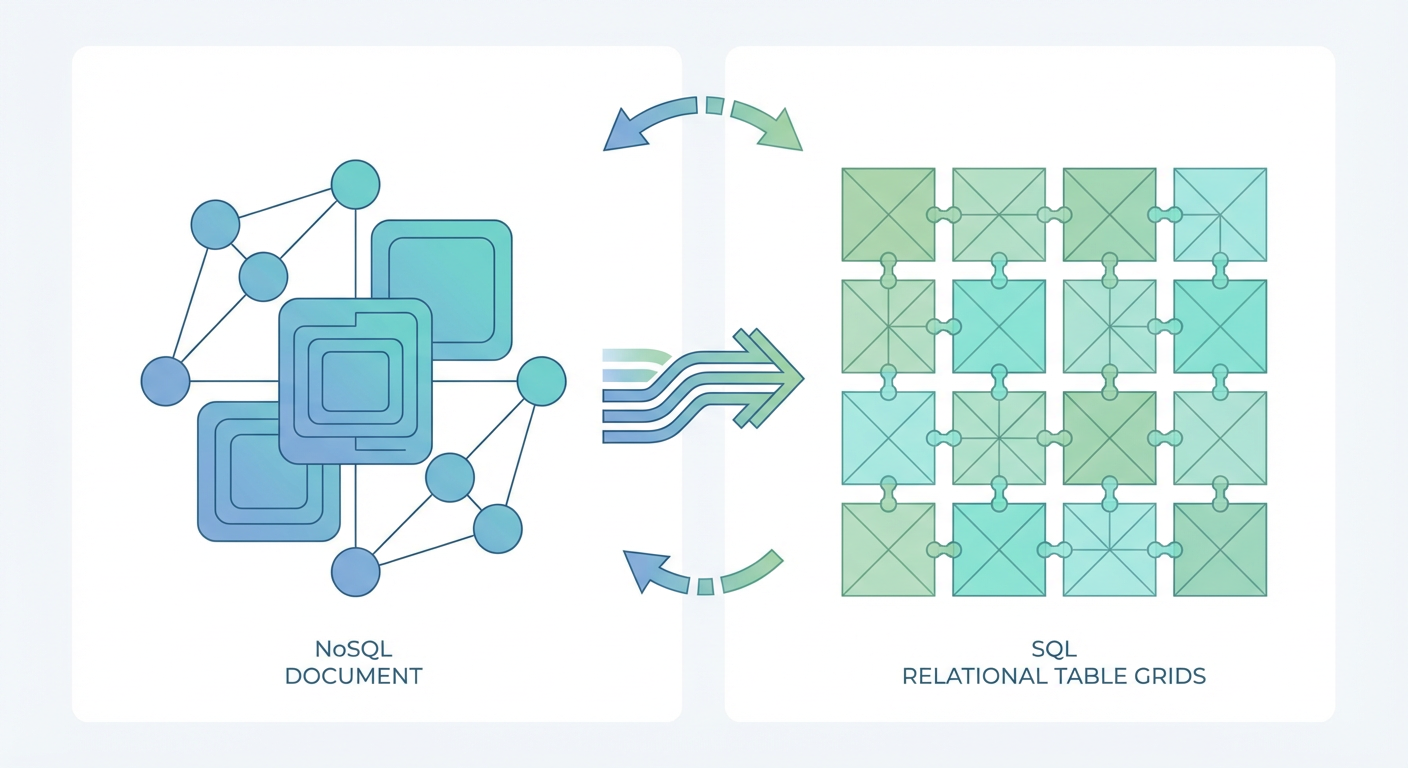
Kenji, our tech lead, walked into standup one Monday and said something that kicked off six months of work: "I'm tired of fighting Firestore queries." He'd spent the weekend trying to build a reporting dashboard for one of our internal tools. The data lived in Firestore. The query he needed involved a join across two collections, a date range filter, and a sort. In Postgres, that's a single SQL statement. In Firestore, it was 47 lines of client-side JavaScript and three separate reads.
That was the moment we decided to evaluate Supabase. Not because Firebase is bad. Firebase is a genuinely good product that has powered millions of apps. But the mismatch between what we needed and what Firebase gave us had been growing for two years. We migrated 14 projects over six months. Some went smoothly. Some broke in ways we did not expect. Here is the honest account.
Why We Left Firebase
The decision was not about hype. We had real, concrete problems.
Querying was painful. Firestore is a document database. It is excellent for simple key-value lookups and real-time listeners on individual documents or flat collections. It is bad at anything that looks like a join, a complex filter, or an aggregation. We had seven projects that needed reporting features, and every one of them involved stitching together multiple collection reads on the client.
Pricing was unpredictable. Firebase charges per document read. This sounds reasonable until you realize that a single page load on one of our admin dashboards triggered 340 reads because it iterated through a collection to build a summary view. We had a project that went from $47/month to $380/month after adding a dashboard page. Kenji spent two days rewriting the dashboard to use Cloud Functions for aggregation, which reduced the reads but added latency and complexity.
Vendor lock-in was real. Two of our projects needed to run in environments where Google Cloud was not an option (client requirement). Firebase has no self-hosted alternative. The data format is proprietary. Exporting from Firestore to anything else means writing custom migration scripts for every collection. We had been telling ourselves vendor lock-in was a theoretical concern. It became a practical one.
The schema-less model created more problems than it solved. Without a schema, every team member had a slightly different understanding of what fields a document should have. We had a users collection where some documents had createdAt as a timestamp, some had it as a string, and some did not have it at all. Debugging data issues meant reading individual documents to figure out what shape the data was actually in.
Supabase offered Postgres (real SQL), predictable pricing based on compute and storage, open source with self-hosting options, and a schema that enforced data consistency. The trade-off was giving up some of Firebase's developer experience polish and real-time simplicity. We decided the trade-off was worth it.
What the Migration Actually Looked Like
We did not migrate all 14 projects at once. We started with three low-risk internal tools, validated the process, then moved the rest in batches.
Data migration was the hard part. Firestore documents do not map cleanly to relational tables. A Firestore document with nested objects and arrays needs to be decomposed into multiple tables with foreign keys. Our orders collection had a nested items array and a nested customer object. In Postgres, that became three tables: orders, order_items, and a foreign key to customers. Kenji wrote migration scripts for each collection. The scripts handled type coercion (Firestore timestamps to Postgres timestamps), null handling (Firestore allows missing fields, Postgres does not unless the column is nullable), and relationship mapping.
For the ongoing sync between systems during the transition period, we set up an agent using Supabase's CRUD tools to keep records in sync. The data sync agent handled reading from the source, transforming the data shape, and upserting into the destination tables. This was more reliable than the custom sync scripts we tried first because the agent could handle edge cases like partial failures and retries without us writing that logic from scratch.
Auth migration was surprisingly smooth. Firebase Auth and Supabase Auth both support email/password, OAuth providers, and magic links. We exported Firebase Auth users using the Firebase Admin SDK, then imported them into Supabase Auth using their admin API. Passwords could not be migrated directly (they are hashed), so we sent password reset emails to all users after migration. About 70% of users reset their passwords within the first week. The remaining 30% reset when they next tried to log in. Nobody complained.
Realtime required rethinking. Firebase's real-time listeners are dead simple. You subscribe to a document or collection, and you get updates pushed to the client. Supabase has Realtime too, but it works differently. It is built on Postgres logical replication. You subscribe to changes on a table, and you get inserts, updates, and deletes pushed via WebSocket. The mental model is different. In Firebase, you listen to a document and get the current state. In Supabase, you listen to a table and get change events. Kenji had to rewrite every real-time feature to work with the event-based model instead of the state-based model.
What Actually Broke
Four things broke during migration. All of them were fixable, but none of them were in the migration guides we read.
Offline support disappeared. Firebase has built-in offline persistence. Your app works without internet, and data syncs when connectivity returns. Supabase does not have this. Two of our 14 projects were field tools used by teams with unreliable internet. We had to add our own offline layer using a local SQLite database and a sync mechanism. This added three weeks to the migration timeline for those two projects.
Cloud Functions became Edge Functions with limits. We had 23 Cloud Functions across our Firebase projects. Supabase's equivalent is Edge Functions, which run on Deno instead of Node.js. Most of our functions were simple (validate input, write to database, return response) and ported easily. But four functions used Node.js-specific packages that did not have Deno equivalents. We had to find alternatives or rewrite the logic.
File storage URLs changed. Every image and file URL in our apps pointed to Firebase Storage. Migrating files to Supabase Storage meant updating every URL reference in the database. For one project, this was 14,000 rows. We wrote a migration script, but we missed URLs embedded in rich text fields (stored as HTML strings in the database). Users reported broken images for about a week before we caught and fixed all of them.
Rate limits were different. Firebase's free tier is generous with reads but restrictive with writes. Supabase's free tier is generous with storage but has connection limits. One of our projects hit Supabase's connection pool limit during a traffic spike because we had not configured connection pooling correctly. Pgbouncer solved the problem, but it took Kenji two hours of debugging 500 errors before he figured out the root cause.
Six Months Later: The Honest Assessment
We are six months post-migration. Here is where we landed.
Developer experience is better for data-heavy work. Writing SQL queries instead of chaining Firestore reads is faster, more readable, and easier to debug. Our reporting dashboards went from 47-line client-side query stitching to single SQL statements. Kenji estimates the team spends 30% less time on data access code.
Developer experience is worse for prototyping. Firebase's SDK is more polished for "zero to working app" speed. Setting up auth, database, storage, and hosting takes 15 minutes with Firebase. Supabase is close but not quite there. The dashboard is good. The client libraries are good. But there are more configuration decisions to make upfront (Row Level Security policies, connection pooling settings, Edge Function runtime).
Pricing is more predictable. Our total infrastructure cost across all 14 projects dropped from an average of $2,100/month on Firebase to $1,400/month on Supabase. The drop was mostly because Supabase charges for compute and storage, not per-read. Our read-heavy dashboards cost the same whether they query 100 rows or 100,000 rows.
Operational overhead increased, then decreased. The first two months after migration, we spent more time on infrastructure than before. Postgres needs more care than Firestore. Connection pooling, index optimization, vacuum settings. But once Kenji configured everything properly, the maintenance burden dropped below what we had with Firebase because we were no longer fighting the query model.
The agent layer changed everything. The part we did not expect was how much easier it became to automate database operations once the data was in Postgres. With Firebase, automating data workflows meant writing Cloud Functions that navigated the document model. With Supabase, we could point agents at standard CRUD operations on relational tables. The data sync agent handles cross-table synchronization. The database cleanup agent removes stale records on a schedule. These agents would have been much harder to build on Firestore because the query patterns are so different.
Should You Migrate?
It depends on what you are building.
Stay on Firebase if your app is primarily real-time document syncing (chat apps, collaborative editing), you need offline support out of the box, your team does not know SQL and does not want to learn, or you are prototyping and speed-to-launch matters more than query flexibility.
Migrate to Supabase if you need complex queries (joins, aggregations, date ranges), your pricing is unpredictable due to read-heavy patterns, you want to self-host or avoid vendor lock-in, you plan to automate database operations with agents, or your data has clear relational structure.
Kenji's summary at the end of the migration was this: "Firebase is great for building apps fast. Supabase is great for building apps that last." I think that is about right. The migration cost us six months of work and a fair amount of headaches. But every project we build from here starts on Supabase, and nobody has suggested going back.
Try These Agents
- Supabase Data Sync Agent -- Sync records between Supabase tables and external sources with automated conflict resolution
- Supabase Database Cleanup Agent -- Find and remove stale, orphaned, and duplicate records on a schedule
- Supabase User Data Manager -- Manage user records, update properties, and enforce data consistency across tables