
Knowledge Management Software Is a Solved Problem. Keeping It Updated Isn't.
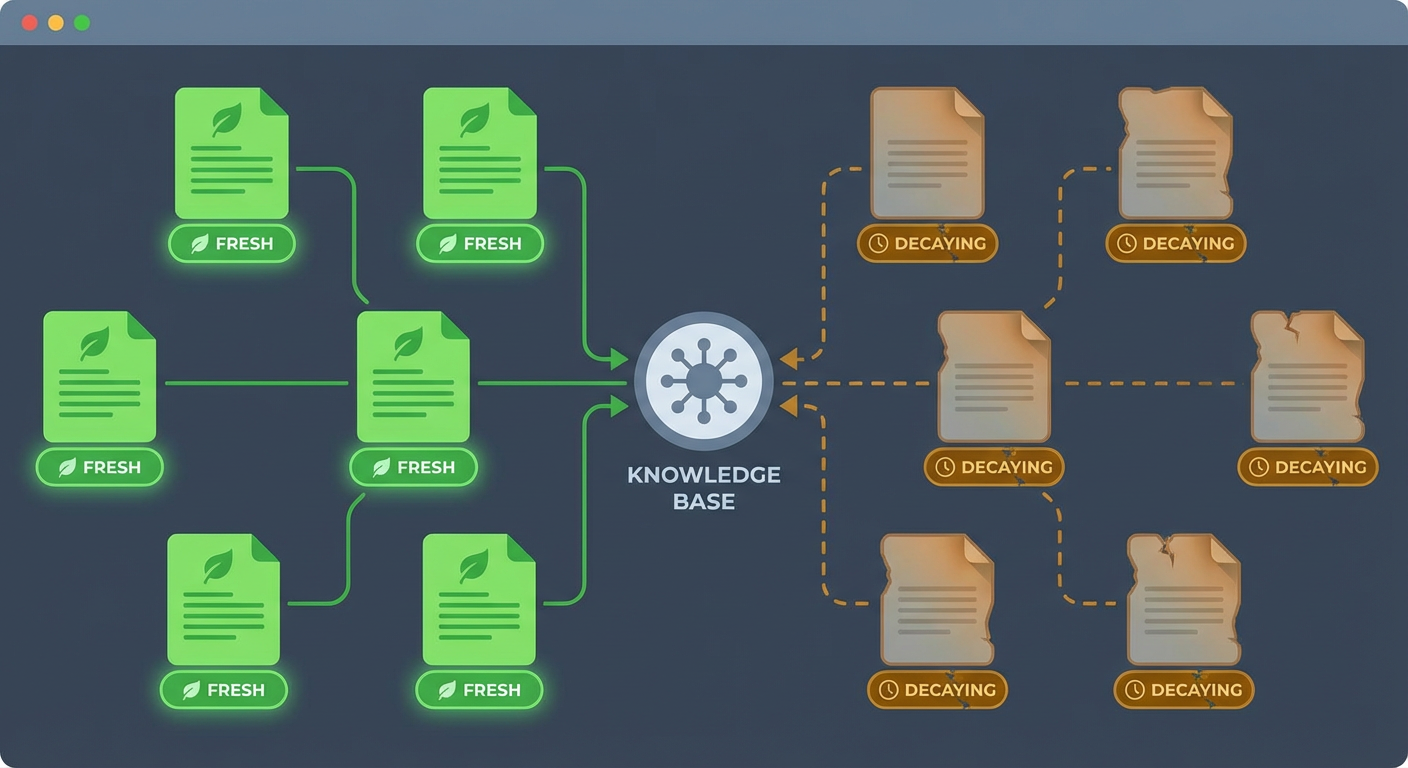
Priya spent three weeks evaluating knowledge management platforms for a 200-person company. She built a spreadsheet with 14 columns: pricing, search quality, permissions, integrations, templates, mobile app, API access, SSO, analytics, versioning, collaboration features, import/export, custom domains, and AI capabilities. She scored five platforms across all 14 dimensions. Confluence won in four categories, Notion in five, Guru in three, and SharePoint in two. She picked Confluence. The team adopted it. They created 400 pages in the first quarter.
Nine months later, Priya ran a content audit. Of those 400 pages, 168 hadn't been touched since they were created. Forty-seven referenced tools the company had stopped using. Twenty-two contained process steps that had changed. Eleven had broken links. The knowledge management software worked exactly as advertised. The knowledge management didn't.
This is the pattern we see over and over. Teams spend weeks choosing the right platform, months populating it, and then watch it decay because maintaining knowledge is a continuous job that nobody has time for. The software isn't the problem. The problem is that knowledge is alive and the tools treat it as if it's static.
The Market Is Mature
There's no shortage of options, and most of them are genuinely good.
Confluence is the enterprise standard. It has spaces, page trees, permissions, macros, templates, and deep integration with Jira and the rest of the Atlassian ecosystem. Roughly 75,000 organizations use it. The editor improved dramatically in the cloud version, and Atlassian Intelligence added AI summarization and drafting in 2024. For teams already on Atlassian tools, Confluence is the default choice because it doesn't require a separate login, separate permissions model, or separate integration layer.
Notion blurred the line between knowledge base and project management. Its block-based editor, databases, and relational properties let you build wiki pages that double as task trackers, meeting note repositories, and CRM systems. Smaller teams love it because it's flexible enough to be everything. Larger teams sometimes struggle because that flexibility means there's no enforced structure. Tomás's 30-person team uses Notion and loves it. His friend's 300-person team tried Notion and ended up with 2,000 pages scattered across 50 workspaces with no consistent naming convention.
Guru takes a different approach: verified knowledge cards. Each card has a verification owner and a verification interval. When a card goes unverified past its interval, Guru flags it. This is the only mainstream knowledge management tool that has built-in staleness detection as a first-class feature. The trade-off is that Guru's format is card-based, not page-based. Long-form documentation doesn't fit the card model well. Guru works best for procedures, FAQs, and reference material that fits in a few hundred words.
Slite positions itself as the simple alternative. Clean editor, good search, automatic organization suggestions. It's designed for teams that want a knowledge base without the configuration overhead of Confluence or the flexibility overload of Notion. Anya's team used Slite for a year and appreciated its speed. "It doesn't try to be everything," she said. "It's a place to write things down and find them later." The limitation is that Slite's feature set is deliberately narrow, which means teams with complex permission needs or deep integration requirements will outgrow it.
SharePoint fits organizations that live inside Microsoft 365. It handles document storage, permissions, and workflow automation within the Microsoft ecosystem better than any alternative. The trade-off is that SharePoint is primarily a document management system, not a wiki. You can build wiki-like experiences with SharePoint pages, but the mental model is "files in libraries" rather than "pages in a knowledge tree."
The Problem None of Them Solve
Every platform on this list does a good job of storing knowledge. You write a page, it gets saved, people can find it. The features differ in details: Confluence has better macros, Notion has better databases, Guru has verification workflows, Slite has simpler UX. But they all handle the "create and store" part well.
The problem is what happens after creation.
Knowledge decays. It happens slowly and invisibly. An engineer changes an API endpoint but doesn't update the three wiki pages that reference it. A process changes because the team adopted a new tool, but the onboarding guide still describes the old tool. Someone leaves the company and their pages become orphaned, still visible but no longer maintained by anyone. A page gets duplicated because someone couldn't find the original, and now two pages exist with slightly different information and no indication of which is authoritative.
Priya tracked the decay rate across her Confluence instance for six months. New pages were created at a rate of about 45 per month. Pages were updated at a rate of about 20 per month. But the total page count grew steadily, which meant the percentage of recently-updated pages dropped every month. By month six, only 38% of pages had been updated in the last 90 days. The knowledge base was growing, but the percentage of it that was accurate was shrinking.
This isn't a Confluence problem. Elena ran the same analysis on a Notion workspace. Same pattern. Guru's verification feature helps because it nags owners to re-verify their cards, but even Guru reported that their average customer has 22% of cards past their verification date at any given time.
The decay problem is platform-agnostic because it's a human behavior problem. People create documentation when they're setting something up for the first time. They rarely go back to update it because updating existing docs doesn't feel as productive as building new things. No amount of better UI, better search, or better templates changes this dynamic.
What a Maintenance Layer Looks Like
A knowledge base auditor agent addresses the decay problem by continuously scanning your knowledge base and flagging content that needs attention. This isn't a feature inside the knowledge management platform. It's a layer that sits on top of whichever platform you've chosen.
The agent reads every page in the knowledge base on a recurring schedule. For each page, it checks several dimensions. Has the page been updated recently? Does the page reference tools, URLs, or processes that have changed? Are there broken links? Does the page contradict other pages on the same topic? Is there a newer page that covers the same ground, suggesting the older one should be archived or merged?
Kenji configured the auditor against Priya's Confluence instance. The first run took about four hours to scan all 400-plus pages. It produced a report with 67 action items: 23 pages with outdated tool references, 18 pages with broken links, 11 pages that duplicated content from other pages, 9 pages referencing processes that had changed based on Jira ticket analysis, and 6 pages that hadn't been viewed by anyone in over a year and were candidates for archiving.
The second run, a week later, found 8 new issues. The decay rate was about 8 new problems per week across a 400-page knowledge base. Without the auditor, those 8 problems would have accumulated silently until someone stumbled into a wrong answer. With the auditor, they were caught and routed to the right person within days.
Choosing the Right Platform Still Matters
The maintenance layer doesn't eliminate the need to choose the right platform. It eliminates the need to choose the perfect platform. When you know that stale content will be caught and flagged automatically, the stakes of the platform decision drop. You're choosing based on editor experience, pricing, integration needs, and team preferences rather than trying to find the one tool that will magically keep itself updated.
For teams under 50 people who want minimal configuration: Notion or Slite. Notion if you want flexibility and databases. Slite if you want simplicity and speed.
For teams between 50 and 500 on Atlassian tools: Confluence. The Jira integration alone justifies it. When an engineer closes a Jira ticket that changes a process, the auditor can flag the corresponding Confluence pages that need updating. That connection between project management and knowledge management is hard to replicate across separate platforms.
For teams of any size on Microsoft 365 with compliance requirements: SharePoint. The permissions model and document lifecycle features handle regulatory needs that wiki-style tools don't address.
For teams that need verified, short-form knowledge (support teams, sales teams, customer success): Guru. The verification workflow is native and the card format fits how these teams consume information.
For any team, regardless of platform: add a maintenance layer. The platform stores knowledge. The maintenance layer keeps it accurate. They're different jobs and they require different tools.
The Honest Assessment
The knowledge management software market has been mature for years. Every platform on this list can store, organize, and surface documentation effectively. The differences between them are real but incremental. Confluence's macros versus Notion's databases versus Guru's verification cards: these are meaningful feature differences that affect daily workflows. But none of them address the reason knowledge bases fail, which is that humans create documentation and then move on to other work.
Priya's final take, after evaluating five platforms and running one for over a year: "I spent three weeks picking the right software. I should have spent one week picking the software and two weeks setting up the system that keeps it honest. The tool that writes the pages is easy. The tool that makes sure they stay correct is the one nobody thinks about until half the knowledge base is wrong."
The knowledge base you can trust isn't the one built on the best platform. It's the one with a process, automated or otherwise, that continuously validates what's inside it. The platform is the container. The maintenance layer is what makes the contents worth reading.
Try These Agents
- Confluence Knowledge Base Auditor -- Scan your entire knowledge base for stale content, broken links, and contradictions
- Confluence Documentation Updater -- Automatically update outdated pages when tools, processes, or APIs change
- Confluence Onboarding Guide Generator -- Generate onboarding documentation from your existing knowledge base