
Confluence vs Google Docs: We Outgrew Docs Folders in Six Months
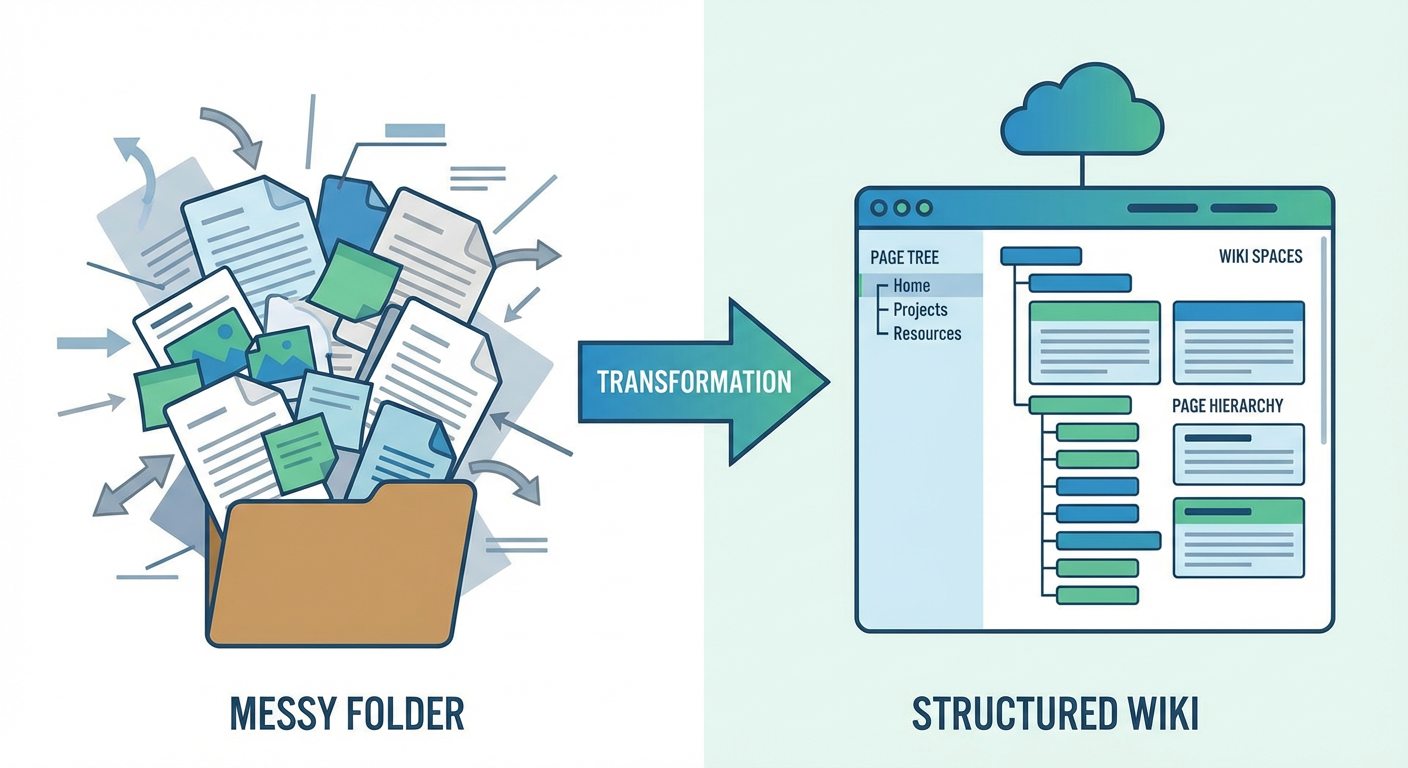
Elena's team started on Google Docs because -- well, that's where everyone starts. Free with Workspace, zero learning curve, real-time collaboration that genuinely just works. When they were 12 people, it was fine. Better than fine, actually. Meeting notes, product specs, engineering docs, onboarding checklists -- all dumped into a shared Drive organized by team folders.
Then the team grew to 30. The shared Drive had 400 documents. Then 60 people and 900 documents. Elena searched for "deployment process" and got 11 results. Three were titled "Deployment Process." Two were titled "Untitled document." One was a copy of a copy with "(2)" in the filename. She opened four of them before finding one that looked current. It had been last edited eight months ago. She wasn't sure if it was still accurate.
That's when the team migrated to Confluence. The migration took three weeks. Six months later, Elena had opinions about both platforms based on running a real team through both.
What Google Docs Does Well
Google Docs is the best collaborative writing experience available, and acknowledging that matters. The real-time editing is flawless. Multiple cursors, instant updates, no merge conflicts, no save button. You just write. Suggesting mode lets reviewers propose changes that the author accepts or rejects with one click. Comments thread naturally alongside the text. For the act of creating a single document with multiple contributors, nothing beats Google Docs.
The familiarity advantage is underrated. Every new hire Elena onboarded already knew Google Docs. No training, no "where do I click to create a page," no learning curve. The first day on the job, people were contributing to documents. When the team later moved to Confluence, there was a two-week ramp-up period where people asked questions about spaces, page trees, macros, and publishing. Google Docs has zero onboarding friction because everyone has been using it since college.
The Workspace integration is the other big advantage, and it's hard to overstate. Create meeting notes from Google Calendar -- boom, the doc opens with attendees pre-populated. Slides link to Docs for speaker notes. Sheets reference data from Docs. If your workflow orbits around Calendar, Gmail, and Sheets, Docs sits at the center without anyone having to configure anything.
The mobile experience matters too. Google Docs on iOS and Android is a full editing experience. Elena's product managers would review and comment on specs during their commutes. Confluence's mobile app exists but feels like an afterthought. Reading is fine. Editing is painful. For teams where mobile access matters, Google Docs has a real advantage.
Where Google Docs Falls Apart
The problems start when you go from writing documents to managing knowledge.
Google Drive's folder structure is flat in the ways that matter. Technically you can nest folders, but navigating them feels like a file explorer from 2005 -- no page trees, no parent-child relationships, no sense of hierarchy within the content itself. A folder called "Engineering" is just a bag of files. Those files don't know about each other. Tomas tried maintaining an index document as a workaround. Within a month it was outdated because people kept adding new docs without updating the index, and nobody was going to police that.
Search returns documents, not answers. When you search Google Drive for "rate limiting," you get a list of documents that contain those words. You don't get the relevant section within the right document. You definitely don't get a synthesized answer from across multiple documents. You get 11 blue links, and you start opening tabs. Confluence search isn't perfect, but page titles, labels, and space scoping mean the results are more targeted.
Naming is chaos at scale. Google Docs doesn't enforce naming conventions. Tomás named his docs with dates and topics. Rafael used ticket numbers. Diana used descriptive titles. Kenji didn't name his docs at all, leaving a trail of "Untitled document" files. Elena tried to enforce a naming convention in the team wiki. It lasted about six weeks before people stopped following it, and she didn't have the energy to police document titles.
Version history exists but doesn't solve the "is this current?" problem. Google Docs tracks every edit, which is useful for understanding how a document evolved. It's useless for understanding whether the document is still accurate. A document last edited in January might be perfectly current or completely obsolete. Version history can't tell you which.
Permissions in Drive are a mess at scale. Elena's shared Drive had documents with seven different sharing configurations -- whole company, specific teams, specific people, and a few that were accidentally shared with external email addresses that nobody could explain. There's no good way to audit permissions across hundreds of documents in Drive. You just hope nothing sensitive is exposed. Confluence at least gives you space-level permissions as a sane default, with page-level restrictions for exceptions.
The Migration
Elena's team migrated from Google Docs to Confluence over three weeks. The process was more painful than expected because Google Docs and Confluence have fundamentally different content models.
Google Docs are files. Confluence pages are web content. You can import Google Docs into Confluence, but the formatting never translates perfectly. Tables come in wrong. Embedded images sometimes break. Document-level comments don't import. Elena's team ended up manually recreating about 40% of their documents in Confluence because the automated import produced pages that looked broken.
The migration forced a content audit by necessity. Out of 900 documents in Drive, only 340 turned out to be still relevant. The other 560 were dead meeting notes, abandoned drafts, duplicates, and documents where nobody could even remember what they were for. ("Who wrote this? What project was it for? No idea. Archive it.") The migration forced a cleanup that should have happened years earlier -- three weeks of tedious triage that wouldn't have been necessary if anyone had maintained the Drive along the way.
Getting those 340 survivors into Confluence spaces with a sensible page tree structure took another week on top of that. Elena created four spaces: Engineering, Product, Operations, and Company. Each space had a page tree that gave logical structure to content that had previously lived in flat folders. The structure made content discoverable in a way that Google Drive folders never did.
What They Gained
Six months in, the improvements showed up in the numbers.
Finding the right document went from 4.2 minutes average (Drive) to 1.8 minutes (Confluence). Elena measured this the old-fashioned way: she'd ask people to find specific information and time them. Page trees, labels, and scoped search cut discovery time by more than half. Not a subtle difference.
Duplicate creation dropped about 70%. In Drive, people would create new documents because they couldn't find existing ones -- the flat folder structure gave you no visibility into what already existed. In Confluence, when Kenji went to create a "Kubernetes Troubleshooting" page, he could see one already existed under Engineering > Infrastructure > Kubernetes. In Drive, he would have just made a new doc and added to the pile.
Onboarding time for new engineers decreased from about two weeks of "find your way around the docs" to about four days. The page tree structure gave new hires a browsable map of documentation. "Start at the Engineering space home page and work your way down" was a navigation strategy that didn't exist in Google Drive.
What They Lost
Real-time collaboration took a step backward. Confluence handles concurrent editing -- and it's gotten much better -- but it's not Google Docs. There's a noticeable lag between edits from different people, and the editor occasionally throws up conflict warnings that break your flow. For live collaborative sessions like meeting notes or brainstorming, the gap between the two is obvious.
The casual writing culture also suffered, and this one surprised Elena. In Google Docs, throwing together a quick document is almost frictionless. Open, type, share. Done. In Confluence, you pick a space, decide where in the page tree it belongs, choose a template or start blank, then publish. Each step is small, but together they make writing feel like a capital-E Event rather than a quick brain dump. Elena noticed that informal knowledge sharing -- the kind of thing that used to happen in throwaway docs -- dropped off after the migration. People moved those conversations to Slack instead, which is worse for long-term knowledge retention but requires zero overhead.
Mobile editing went from good to barely functional. Product managers who reviewed docs on their phones during commutes stopped doing so because the Confluence mobile experience didn't support the workflows they'd relied on.
The Gap Both Share
Neither Google Docs nor Confluence maintains itself.
Six months after the migration, Elena audited the Confluence instance. Of the 340 pages they'd migrated plus 120 new pages created since, 38% hadn't been updated in 90 days. The content decay rate was almost identical to what they'd experienced in Google Drive. Different tool, same human behavior. People create documentation and then move on. Neither platform has a native mechanism that says "this page is probably outdated, someone should check it."
A meeting notes publisher agent solved the one workflow the team missed most from Google Docs. When they used Docs, meeting notes lived right next to the calendar invite -- same ecosystem, zero friction. After switching to Confluence, notes had to be manually created after each meeting. In practice? They just didn't get created. People were busy. The agent bridges that gap: it watches Google Calendar, notices when meetings end, grabs the notes and action items from the collaborative doc, and publishes a formatted Confluence page in the right space with the right labels. No one has to remember to do it.
For the broader maintenance gap, the same agent layer that maintains any wiki applies here. Audit agents scan for stale content. Documentation updaters push changes when referenced tools or processes change. Cross-space search lets people find accurate information regardless of which space it lives in.
The Decision Framework
Stay on Google Docs if your team is under 50 people, your documentation needs are simple, real-time collaboration is a daily workflow, your team lives in Google Workspace, and you don't have complex organizational structures for documentation. Google Docs works well within its scope. The problems only emerge at scale.
Move to Confluence when you've outgrown folders -- when you need page hierarchies, you're already on Atlassian tools, or your documentation demands templates, macros, and space-level permissions. The migration hurts. Budget three weeks and a content audit. But the organizational payoff is real once you're through it.
Whichever direction you go, plan for maintenance from day one. This is the part everyone skips. The tool that makes it easy to create documentation has nothing to do with the tool that keeps it accurate. Google Docs won't flag your outdated deployment guide. Confluence won't either. That's a separate problem requiring separate tooling.
Elena's summary after living on both platforms: "Google Docs is where you write together. Confluence is where you organize what you wrote. Neither is where you go to make sure it's still true. We needed all three."
Try These Agents
- Confluence Meeting Notes Publisher -- Automatically publish meeting notes from Google Calendar to Confluence
- Confluence Documentation Updater -- Keep pages accurate when processes and tools change
- Confluence Knowledge Base Auditor -- Scan your wiki for stale content, broken links, and outdated references